Tips for Identifying Phishing Emails
In this digital age, phishing remains one of the most prevalent and sneaky types of cybercrime, targeting unsuspecting individuals and organizations. This blog will take you through some actionable tips on how to identify phishing attempts and effectively protect your digital presence.
What is Phishing?
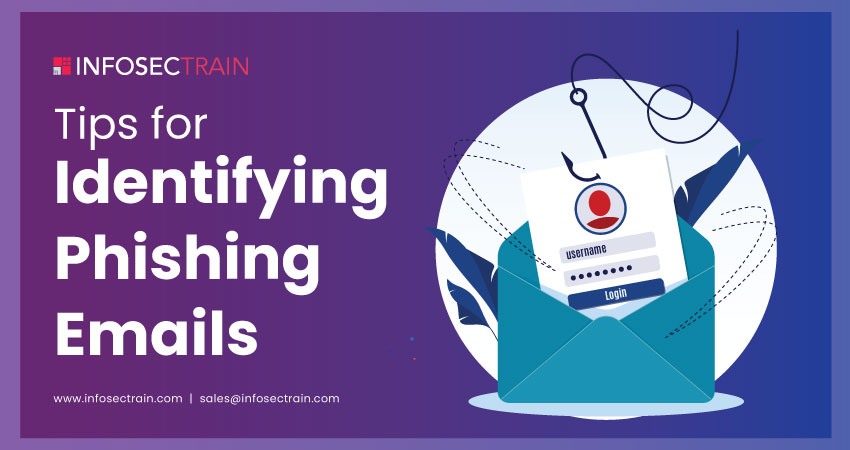
Phishing is a cybercrime where phishers or attackers deceive individuals into revealing personal information by impersonating trusted entities through emails, messages, or websites. This may lead to identity theft, where the phishers use your personal information for fraudulent purposes, or financial loss, where the phishers gain access to your financial details and steal your money.
Types of Phishing Attacks

14 Best Practices for Identifying Phishing Emails

- Check the Sender’s Address: Always double-check the sender’s email address for any unfamiliar domain names that differ slightly from the legitimate ones you recognize.
- Spot Grammatical and Spelling Errors: Phishing emails often contain poor grammar and spelling mistakes. Legitimate organizations typically proofread their emails, so be wary of poorly written content.
- Avoid Suspicious Links and Attachments: Refrain from clicking on links or downloading attachments from unidentified or suspicious sources, as they could lead to malicious websites or contain malware.
- Beware of Urgent Language: Phishers or hackers often create a sense of urgency to provoke recipients into quick action. Be cautious of emails claiming you must act immediately to avoid a consequence.
- Verify Email Signatures: Legitimate business emails usually include professional signature blocks with contact details. A missing or inconsistent signature can be a clue to fraudulent emails.
- Analyze the Email Tone and Style: Compare the tone and style of the email with previous communications you have received from the sender. Noticeable differences may signal a phishing attempt.
- Check for Generic Greetings: Phishing attempts often use generic greetings like “Dear Customer” instead of addressing recipients by their real names, indicating a lack of personalization typical of mass phishing attempts.
- Too Good to Be True Offers: If an offer presented in an email appears exceptionally generous or unrealistic, it is likely a scam.
- Verify Links Without Clicking: Hover over any links without clicking them to preview the destination URL. Look for mismatches between the link text and the URL it points to.
- Request for Personal Information: Legitimate organizations generally would not ask for sensitive details via email. Be cautious if such requests are made.
- Be Wary of Pop-ups: Emails containing pop-ups asking for your login credentials are typically phishing attempts. Legitimate organizations typically do not use pop-ups to collect sensitive information.
- Look for Secure Websites: Ensure any website you visit starts with “https://” and displays a security padlock icon in the address bar. This indicates that the link is secure.
- Use Email Security Tools: Use email filters and security tools to detect and block phishing attempts before they reach your inbox.
- Stay Informed About Phishing Techniques: Scammers constantly evolve their strategies to bypass security measures, so stay updated on the latest phishing tactics.
To learn more about how security awareness can help you protect yourself, read our linked article “How to Stop Phishing with Security Awareness?”.
If you are interested, we have some other informative articles that you might find helpful:
- How do Phishing and Spoofing Attacks Impact Businesses?
- Spear Phishing vs. Whaling
- Privacy Concerns on Social Media Platforms
- Top 30 Cybersecurity Terms You Need to Know
- Career Path For Cybersecurity
- Top Reasons to Explore a Career in Cybersecurity
How Can InfosecTrain Help?
Whether you are a seasoned tech user or a newcomer to the digital world, our guidance will help you navigate the intricacies of cyber threats and enhance your digital security.
At InfosecTrain, we provide various Cybersecurity training and certification courses designed to elevate your knowledge and skills. Our course offerings include CompTIA Security+, Certified Ethical Hacker (CEH), CISSP, SOC Analyst, and many others tailored to meet different expertise levels and career paths. Each course is designed to provide you with the theoretical and practical expertise needed to tackle real-world security challenges. Enroll now to enhance your digital security!

TRAINING CALENDAR of Upcoming Batches For Security+ Training
| Start Date | End Date | Start - End Time | Batch Type | Training Mode | Batch Status | |
|---|---|---|---|---|---|---|
| 16-Aug-2026 | 03-Oct-2026 | 09:00 - 13:00 IST | Weekend | Online | [ Close ] | |
| 12-Sep-2026 | 25-Oct-2026 | 19:00 - 23:00 IST | Weekend | Online | [ Open ] |

Contact Us