What Is Cloud Storage? And What Are the Different Types of Cloud Storage?
Quick Insights:
Cloud storage offers scalable and cost-effective data management but requires robust security to mitigate risks like misconfigurations and breaches. Under the Shared Responsibility Model, cloud providers ensure the security of physical assets and core facilities, transferring the obligation to safeguard data, manage identities, and configure storage resources, whether object, file, or block, strictly to the customer. Implementing core controls, such as continuous monitoring, encryption, data classification, Multi-Factor Authentication (MFA), least privilege access, and routine permission audits, ensures comprehensive data protection and regulatory compliance.
As organizations increasingly adopt cloud computing, cloud storage has become the preferred solution for storing, managing, and accessing data from anywhere. While it offers scalability, flexibility, and cost efficiency, it also introduces new security challenges such as unauthorized access, data breaches, misconfigurations, and ransomware attacks. Protecting cloud-stored data requires a combination of strong security controls, continuous monitoring, and industry best practices. This article explores cloud storage, how it works, its different types, and the best practices for securing data in the cloud.
What is Cloud Storage?
Cloud storage is a cloud computing service that allows individuals and organizations to store, manage, and access data over the internet instead of maintaining on-premises storage infrastructure. It is available on demand through a pay-as-you-go pricing model, eliminating the need for organizations to purchase and maintain on-premises storage infrastructure. It offers scalability, high availability, durability, and secure access to data from virtually anywhere.
How does Cloud Storage Work?
A third-party cloud provider delivers cloud storage services over the internet using a pay-as-you-go pricing model. Cloud providers manage the underlying storage infrastructure, redundancy, availability, durability, security, and backup to ensure reliable service. However, customers remain responsible for managing their data, user identities, access controls, and security configurations. Applications access cloud storage through Application Programming Interfaces (APIs) or standard storage protocols, while cloud providers also offer additional services for data protection, backup, analytics, and lifecycle management.
Understand the Shared Responsibility Model
Establishing a clear division of security duties, the Shared Responsibility Model serves as a core cloud governance framework. Service providers maintain accountability for the physical and operational integrity of the platform, encompassing physical infrastructure, hardware tiers, core networking, and foundational services. Customers, however, are responsible for protecting their data, managing user identities and access permissions, configuring cloud resources securely, and securing the applications and workloads they deploy. Understanding this shared responsibility helps organizations prevent security misconfigurations, strengthen data protection, and maintain compliance with regulatory requirements.
Types of Cloud Storage
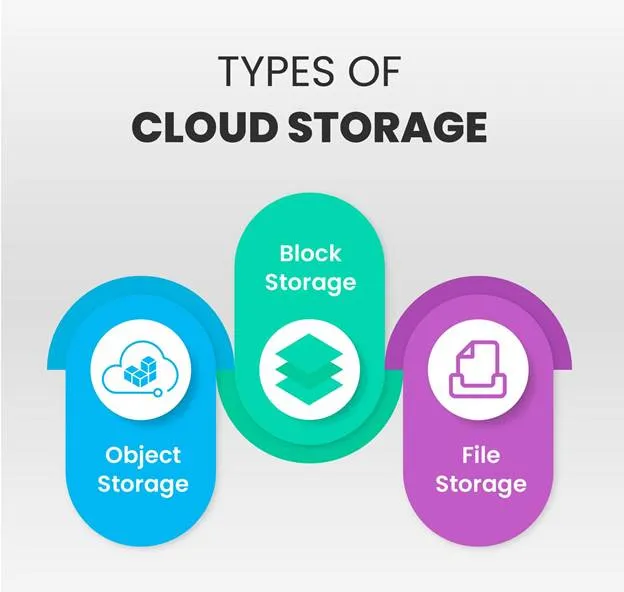
Cloud data storage is classified into object storage, file storage, and block storage. Each has its own set of benefits and applications:
1. Object storage:
Object storage provides massive scalability and rich metadata capabilities, making it ideal for cloud-native applications, backups, archives, and unstructured data. Popular object storage services include Amazon Simple Storage Service (Amazon S3), Azure Blob Storage, and Google Cloud Storage.
2. File storage:
File storage provides a shared file system that multiple users and applications can access simultaneously. It is commonly used for shared directories, content management, and enterprise applications. Popular file storage services include Amazon Elastic File System (Amazon EFS), Azure Files, and Google Filestore.
3. Block storage:
Engineered for speed and efficiency, block storage delivers the optimized throughput and ultra-low latency required to support mission-critical enterprise systems, virtual machines, and transactional databases. Common block storage services include Amazon Elastic Block Store (Amazon EBS), Azure Managed Disks, and Google Persistent Disk.
Best Practices for Cloud Storage
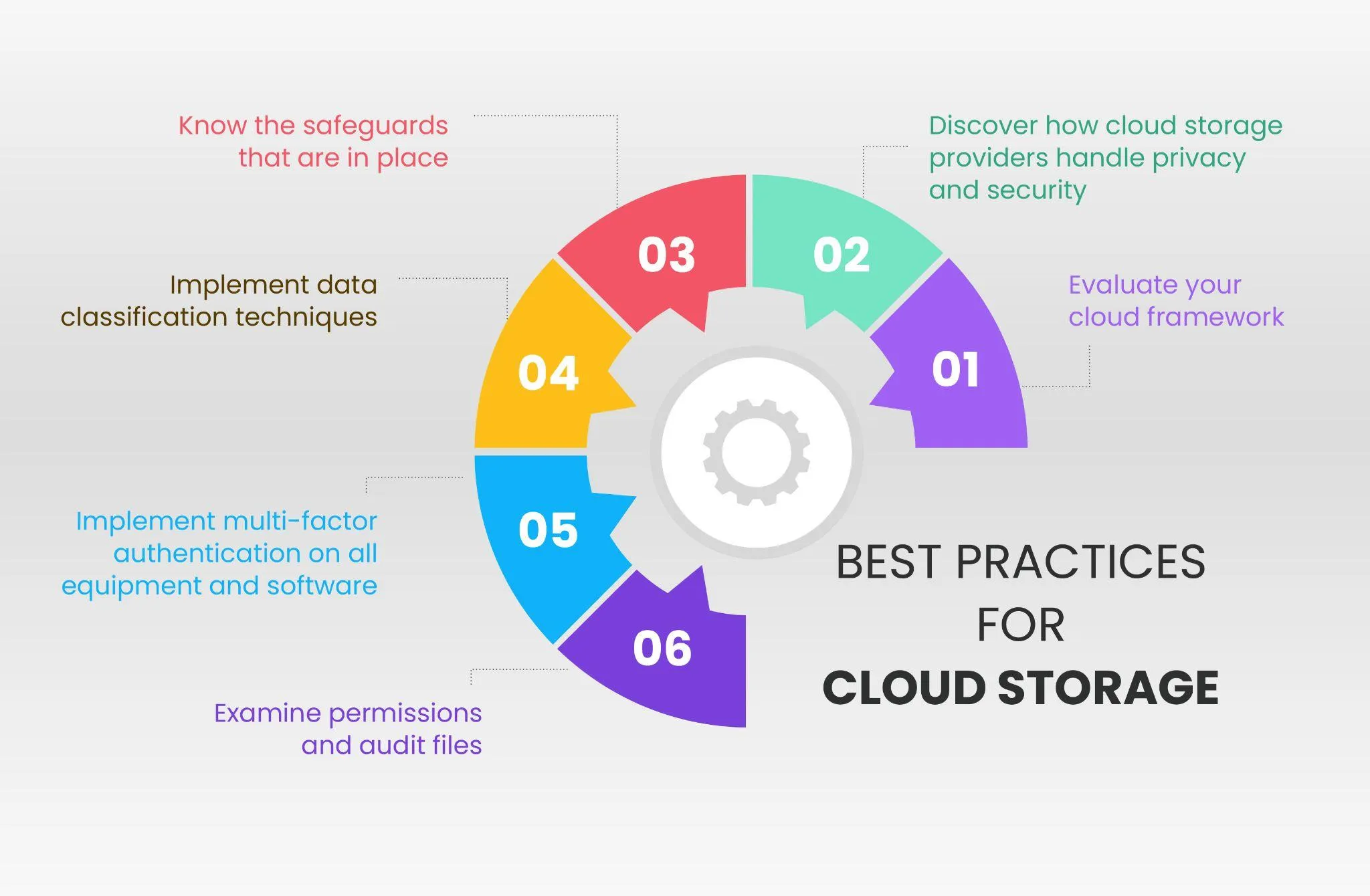
Developing a cloud storage framework and cloud storage security standards is an important practice. Here are six best practices for cloud storage:
1. Evaluate your cloud framework
Organizations should identify all devices, users, applications, and cloud services that access or store data in the cloud. Mapping data flows between systems, applications, APIs, and cloud environments helps identify security gaps, improve visibility, and strengthen cloud storage security. Frequently auditing connection pathways enhances visibility across cloud environments, allowing enterprises to detect unauthorized entry points and enforce strict operational control.
2. Discover how cloud storage providers handle privacy and security
Before choosing a cloud provider, review its Service Level Agreements (SLAs), security certifications, compliance standards, data residency policies, backup capabilities, and incident response procedures. Ensure these services align with your organization’s security and regulatory requirements.
3. Know the safeguards that are in place
Encryption is a fundamental cloud security control. Technical governance requires validating end-to-end encryption across all data states. Enterprises should evaluate key custody frameworks and leverage CMKs or HSM-backed architecture to retain full ownership over access controls and key lifecycles. They should also understand the cloud provider’s security measures, including identity and access management, network protection, DDoS mitigation, and vulnerability management, to ensure sensitive data remains protected.
4. Implement data classification techniques
Data classification serves as the foundation of effective data governance, enabling enterprises to align security controls, encryption levels, retention policies, and access rights with the business risk and criticality of their information assets. Highly sensitive data may require additional security controls or dedicated storage environments, while less sensitive data can be stored using standard security measures. Data classification also helps organizations meet regulatory requirements and improve overall data protection.
5. Implement multi-factor authentication on all equipment and software
Multi-factor authentication can help limit the possibility of someone gaining unauthorized access to systems or applications and exploiting it to spread malware or access other data. While the risk is higher for root privileges, it is not eliminated for regular apps and tools. Multi-factor authentication can help safeguard sensitive data from hackers, individual employees, and other insiders who may purposefully or unintentionally compromise data. Adopting least privilege access controls limits user entitlements strictly to role-essential functions. Conducting routine permission reviews reinforces identity governance and prevents permission creep across the enterprise.
6. Examine permissions and audit files
Cloud storage services provide both private and public file-sharing options, making it essential to regularly review permission settings and ensure only authorized users have access. Organizations should regularly review user permissions, audit file access logs, and remove unnecessary access rights. They should also delete or archive data that is no longer required according to the organization’s data retention policy to reduce security risks, maintain compliance, and optimize storage usage.
Conclusion
It is critical to understand the potential value of your cloud investment. A storage server, or any similar innovation, should include a thorough assessment of what it means for end users. Organizations that transport cloud-enabled data networks should be offered assurance that their organization can operate as usual if a server collapses, a security breach occurs, or there are issues with common human error. If you are interested in learning more about Cloud Computing, visit InfosecTrain.


Frequently Asked Questions
What is the Shared Responsibility Model in cloud storage?
This framework explicitly delineates operational security boundaries in the cloud. Cloud vendors maintain control over hardware, physical facilities, and foundational networks, whereas enterprises retain sole responsibility for data governance, identity management, and system configurations.
What are the three primary types of cloud storage?
They are object storage (ideal for unstructured data and backups), file storage (used for shared directories and content management), and block storage (designed for high-performance workloads like databases).
Why is data encryption essential for cloud storage security?
Data encryption mitigates exposure risks by securing assets in transit and at rest. Leveraging CMKs or HSMs grants enterprises full sovereignty over their cryptographic keys, elevating security controls and administrative access oversight.
How do MFA and the principle of least privilege mitigate unauthorized access?
Implementing MFA safeguards against credential-based exploits, while enforcing least privilege ensures users receive only the minimum access necessary, substantially shrinking the organization's exposure to threats.
How does data classification improve cloud storage governance?
Classifying data by sensitivity level allows organizations to apply appropriate encryption, retention, and access policies. This targeted approach strengthens security controls for sensitive assets while streamlining regulatory compliance.