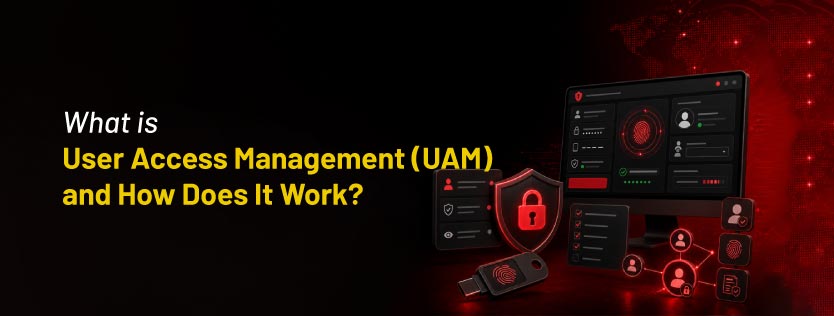
What is User Access Management (UAM) and How Does It Work?
Quick Insights:
User Access Management (UAM) is the "Digital Librarian" of an organization. It is a security framework that ensures the right people have the right access to the right resources at the right time. By following the Principle of Least Privilege, UAM moves a user through four critical stages: Identification (claiming who you are), Authentication (proving it via MFA), Authorization (granting specific permissions based on your role), and Accountability (logging every action taken). Through tools such as SSO, MFA, and PAM, UAM creates an invisible shield that protects sensitive data from unauthorized access while keeping workflows organized.
Imagine your company is a massive, high-tech library where every room contains different secrets, from public magazines to locked vaults of gold. User Access Management (UAM) is like the master librarian who stands at the front desk, checking every visitor’s ID to make sure they are who they say they are. This librarian hands out specific digital keys that open only certain doors, giving a student access to the study hall but keeping the secret vault keys for the bank owners. By watching every doorway, UAM ensures that people can do their work freely without ever wandering into a room they should not be in. It is the invisible shield that keeps the library organized and its most valuable treasures safe from prying eyes.
What is User Access Management (UAM)?
User Access Management is a core security discipline focused on managing and auditing user interactions with an organization’s applications, data, and systems. It is the framework that prevents over-privileged access, ensuring that an employee in Marketing cannot accidentally (or intentionally) access sensitive payroll data in the Finance department.
- Primary Focus: The Identity and Permissions of every individual within the network.
- Key Goal: Implement the Principle of Least Privilege (PoLP), granting users only the minimum access they need to perform their specific job functions.
- Identity Lifecycle Management: UAM covers the entire lifecycle of a user’s time at a company, including Provisioning (granting access to new hires), Deprovisioning (revoking access when someone leaves), and Access Reviews (regularly reviewing whether an employee still needs the permissions they have).
How Does UAM Work?
1. Identification (Who are you?)
The process starts when a user claims an identity. This is usually as simple as entering a username or an email address. The system recognizes that User A is trying to enter the environment.
- Unique Identity: In a robust UAM system, every person has a unique ID so that actions cannot be attributed to a shared account.
2. Authentication (Prove it!)
This is the handshake phase, during which the system verifies the user’s identity. Modern UAM relies heavily on Multi-Factor Authentication (MFA), requiring:
- Something you know: A password or PIN.
- Something you have: A security token or a code sent to a smartphone.
- Something you are: Biometrics, such as a fingerprint or face scan.
- Adaptive Authentication: Modern systems also consider context, such as your GPS location or the time of day, to determine whether a login attempt is suspicious.
3. Authorization (What can you do?)
Once the system knows who you are, it checks its access list to see what you are allowed to do. Most organizations use Role-Based Access Control (RBAC), where permissions are tied to your job title rather than your individual name.
- Example: All Managers can approve expenses, but only Directors can sign off on new hires.
- Segregation of Duties (SoD): UAM ensures that no single person has excessive power. For instance, the person who creates a vendor in the system cannot be the same person who approves payments to that vendor.
4. Accountability & Auditing (What did you do?)
The final step is tracking. Every action taken by the user, including logins, file edits, or deletions, is recorded in a secure log. This is crucial for compliance and for investigating security incidents after they occur.
- Non-Repudiation: Because every action is logged to a specific, authenticated ID, a user cannot later deny that they were the one who accessed or changed a sensitive file.
Common UAM Tools & Technologies
In a modern enterprise, UAM is an ecosystem of tools working together to verify, monitor, and manage identities across various environments.
1. Single Sign-On (SSO):
- The Concept: Allows users to log in once with a single set of credentials to access multiple applications.
- The Benefit: It improves the user experience and reduces password fatigue, which often leads to employees using weak, repetitive passwords.
2. Multi-Factor Authentication (MFA):
- The Concept: Adds layers of security beyond just a password by requiring a second or third form of verification.
- The Benefit: It creates a critical barrier; even if a password is compromised, the attacker cannot gain entry without the physical token or biometric verification.
3. Privileged Access Management (PAM):
- The Concept: A specialized sub-category of UAM designed for Super-Users (like IT Admins). It provides just-in-time access, meaning that high-level permissions are granted only for the duration of a task.
- The Benefit: It prevents the most powerful accounts in the company from being misused or targeted by attackers.
4. Identity Governance and Administration (IGA):
- The Concept: Tools that automate the Identity Lifecycle, handling the movement of users within an organization.
- The Benefit: It ensures that when someone changes departments or leaves the company, their old permissions are updated or deleted instantly, preventing permission creep.
How These Technologies Work Together
In a real-world scenario, these tools form a defense-in-depth chain:
- SSO provides a secure entry portal for all applications.
- MFA verifies that the person on the other end of the screen is the legitimate owner.
- IGA ensures the user is only presented with applications relevant to their current job description.
- PAM monitors the IT team to ensure administrative changes are authorized and recorded.
Conclusion
Effective User Access Management is the cornerstone of enterprise security, safeguarding sensitive data by enforcing strict authentication and limiting permissions to only what is necessary. InfosecTrain’s Certified GRC Auditor training expertly connects technical access systems with high-level governance, preparing specialists to navigate global benchmarks like ISO and SOC 2. By developing expertise in risk assessment and audit fundamentals at InfosecTrain, professionals can architect secure, high-speed environments that balance safety with productivity.

TRAINING CALENDAR of Upcoming Batches For GRC Auditor Training
| Start Date | End Date | Start - End Time | Batch Type | Training Mode | Batch Status | |
|---|---|---|---|---|---|---|
| 30-Jan-2027 | 28-Feb-2027 | 19:00 - 23:00 IST | Weekend | Online | [ Open ] |
Frequently Asked Questions
What is the difference between Authentication and Authorization?
Authentication is the process of verifying who you are (e.g., entering a password and an MFA code). Authorization is the process of determining what you are allowed to do once you are inside (e.g., viewing a file vs. deleting it).
Why is the Principle of Least Privilege (PoLP) so important?
PoLP ensures that employees are only given the minimum access necessary to do their jobs. This limits the blast radius if an account is compromised; an attacker who steals a Marketing intern's credentials won't be able to access the company’s financial records.
What happens to a user's access when they leave the company?
Through a process called Deprovisioning, UAM tools (specifically IGA) automatically revoke all digital keys and permissions the moment an employee's departure is processed. This prevents orphan accounts that attackers could exploit.
How does Single Sign-On (SSO) improve security if it only uses one password?
While it seems counterintuitive, SSO improves security by reducing password fatigue. Since users only have to remember one strong credential, they are less likely to write passwords down or use weak, repetitive ones across different apps. It also allows IT teams to enforce MFA at a single, central entry point.
What is the role of Privileged Access Management (PAM) in UAM?
PAM is a specialized high-security vault for Super Users (such as IT Admins). It provides just-in-time access, granting powerful administrative permissions only for the duration of a specific task and recording every move to prevent the misuse of high-level authority.