
Program Highlights
InfosecTrain’s Google Workspace Training Course turns everyday apps – Gmail, Calendar, Drive, Docs, Sheets, Slides, Forms, Keep, Chat & Meet into a tightly integrated productivity system. Through live expert sessions, guided hands-on exercises, and a capstone project, you’ll learn to tame your inbox, streamline scheduling, organize files, automate with Sheets, and collaborate in real time across teams. Expect fewer manual tasks, cleaner processes, and measurable time savings.
 08-Hour LIVE Instructor-led Training
  Real-World Projects
  Capstone Workflow Build
  Hands-On Exercises
  Templates & Cheat Sheets
  Certified Microsoft Experts
  Dynamic & Immersive Learning
  Dedicated Telegram Support Group
  Access to Recorded Sessions
Training Schedule
- upcoming classes
- corporate training
- 1 on 1 training
Looking for a customized training?
REQUEST A BATCHWhy Choose Our Corporate Training Solution
- Upskill your team on the latest tech
- Highly customized solutions
- Free Training Needs Analysis
- Skill-specific training delivery
- Secure your organizations inside-out
Why Choose 1-on-1 Training
- Get personalized attention
- Customized content
- Learn at your dedicated hour
- Instant clarification of doubt
- Guaranteed to run


About Course
This course helps professionals work faster and collaborate smarter using Google Workspace. You’ll learn practical inbox automation in Gmail, time-blocking in Calendar, structured file systems in Drive, real-time co-authoring in Docs/Slides, data analysis & dashboards in Sheets, survey pipelines via Forms→Sheets, note/task systems with Keep, and smooth team comms through Chat/Meet. Every module includes actionable exercises so you immediately apply what you learn at work.
Course Curriculum
- Module 1: Gmail & Google Calendar – Optimize Communication & Scheduling
- Organize inbox with labels, filters, and priority inbox
- Master shortcuts, canned responses, and email scheduling
- Schedule, manage, and share events; integrate Calendar with Gmail for task reminders
- Exercise: Automate inbox and schedule a week of tasks
- Module 2: Google Drive – Smart File Management
- Organize files and folders with consistent structure
- Use shared drives, version control, and advanced search
- Sync Drive across desktop and mobile
- Exercise: Create a team project folder with proper permissions
- Module 3: Google Docs – Efficient Document Creation
- Create professional documents using styles, headings, and templates
- Collaborate in real-time with comments and suggestions
- Use add-ons and voice typing for faster documentation
- Exercise: Draft a collaborative project plan
- Module 4: Google Sheets – Data & Workflow Automation
- Use formulas, conditional formatting, pivot tables, and charts
- Automate calculations and generate dashboards
- Integrate Sheets with Forms for data insights
- Exercise: Build a project tracking sheet with dashboard
- Module 5: Google Slides – Engaging Presentations
- Create visually appealing presentations with templates, themes, and multimedia
- Collaborate, gather feedback, and apply transitions and notes
- Exercise: Prepare a summary presentation for your project
- Module 6: Google Forms – Collect & Analyze Data
- Design surveys, quizzes, and feedback forms
- Link responses to Sheets for analysis
- Automate notifications and summary reports
- Exercise: Create a survey form and export results
- Module 7: Google Keep & Google Chat/Meet – Organize & Communicate
- Capture notes, ideas, and checklists with reminders in Keep
- Track tasks, integrate Keep with Calendar and Docs
- Use Chat for team communication and Meet for virtual collaboration
- Exercise: Track tasks, communicate updates, and host a practice meeting
- Module 8: Capstone Project – Integrated Productivity Workflow
- Scenario Options:
- Team Event Planning: Organize a virtual event, track tasks, collect RSVPs, and present the plan
- Market Research Report: Conduct survey, analyze responses, create report and presentation
- Internal Process Optimization: Collect feedback, track metrics, report recommendations
- Deliverables: Docs, Sheets dashboards, Slides presentation, Forms survey, Calendar scheduling, Keep task list
- Scenario Options:
- Module 9: Business Perspective & Productivity Impact
- Understand ROI and efficiency gains from Google Workspace
- Learn strategies to reduce repetitive tasks and errors
- Implement personal and team productivity systems
- Tips for integrating tools into daily workflows
Target Audience
This training is ideal for:
- Working professionals seeking efficiency and collaboration skills
- Students aiming to optimize academic workflows
- Entrepreneurs, freelancers, and anyone managing multiple projects
Pre-requisites
- Basic computer literacy
- Google account and internet access
Course Objectives
Upon successful completion of the training, participants will be able to:
- Streamline communication with Gmail, Calendar, Chat & Meet
- Organize at scale using Drive folders, shared drives, and search
- Create together, faster with Docs/Slides real-time collaboration
- Analyze & automate using Sheets formulas, pivots, dashboards
- Collect & act on data via Forms → Sheets workflows
- Build reusable systems (labels, filters, templates, shortcuts)
- Run integrated workflows across multiple Workspace apps
- Measure productivity impact and reduce repetitive errors
- Deliver a capstone that proves end-to-end workflow mastery


Vision

Goal

Skill-Building

Mentoring

Direction

Support

Success

It was a very good experience with the team. The class was clear and understandable, and it benefited me in learning all the concepts and gaining valuable knowledge.

I loved the overall training! Trainer is very knowledgeable, had clear understanding of all the topics covered. Loved the way he pays attention to details.

I had a great experience with the team. The training advisor was very supportive, and the trainer explained the concepts clearly and effectively. The program was well-structured and has definitely enhanced my skills in AI. Thank you for a wonderful learning experience.

The class was really good. The instructor gave us confidence and delivered the content in an impactful and easy-to-understand manner.

The program helped me understand several areas I was unfamiliar with. The instructor was exceptionally skilled and confident in delivering content.
The program was well-structured and easy to follow. The instructor’s use of real-life AI examples made it easier to connect with and understand the concepts.

Frequently Asked Questions
What is the Google Workspace Training Course by InfosecTrain?
A live, hands-on program that teaches you to use Google Workspace apps together to save time, reduce errors, and collaborate better.
Which Google Workspace apps are covered in this training?
Gmail, Calendar, Drive, Docs, Sheets, Slides, Forms, Keep, Chat & Meet (with optional Sites context where helpful).
Who can benefit from the Google Workspace Training Course?
Professionals, students, entrepreneurs, and freelancers who want to boost productivity and team collaboration.
Does the course include hands-on practice with Gmail, Drive, Docs, and Sheets?
Yes, every module includes guided exercises and a capstone project tying all tools together.
What are the prerequisites for learning Google Workspace?
Basic computer literacy plus a Google account and internet connection.
How long is InfosecTrain’s Google Workspace Training Course?
08 hours of live, instructor-led training (with recordings provided).
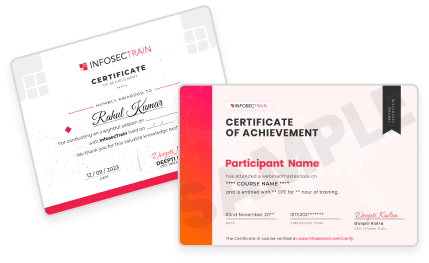
Will I get a certificate after completing the course?
Yes, participants receive an InfosecTrain Certificate of Completion.
Is this Google Workspace Training available online?
Yes, it’s delivered 100% online with live sessions and recorded access.
Can teams and organizations take this course together?
Absolutely. We offer corporate cohorts with tailored Q&A and workflow alignment.
How does learning Google Workspace improve collaboration and productivity?
You’ll implement inbox automation, shared-drive structures, real-time co-authoring, Sheets dashboards, and Forms pipelines, resulting in faster turnaround, fewer mistakes, and clearer team coordination.