Directory Brute-Forcing Using FFUF
In a world where cyber threats loom larger every year, every hidden directory on your website is a potential weak spot. Around 30,000 websites are compromised daily, and analysts predict cybercrime losses hitting $10.5 trillion by 2025. To stay ahead, security pros need fast, automated tools to hunt for those “secret” doors in a web application. Enter FFUF; short for “Fuzz Faster U Fool,” a lightning‑fast web fuzzer written in Go. FFUF excels at directory brute-forcing and web enumeration, letting you spray a site with thousands of likely paths in seconds to find hidden pages, files, or admin panels.
What is FFUF and Why Use It?
FFUF is a lightning-fast web fuzzing tool designed for Penetration Testers and Bug Hunters. In essence, fuzzing means feeding random or common inputs to an application to see how it responds. With FFUF, those “inputs” are words from a wordlist injected into a URL or request to guess hidden directories and files. For example, by running ffuf -u http://target.com/FUZZ -w words.txt, FFUF will replace the keyword FUZZ with each entry from words.txt and report which ones return interesting HTTP responses (like 200 OK pages).
- Stands for Fuzz Faster U Fool: Its cheeky name highlights speed. FFUF is written in Go and optimized for performance. It can try thousands of requests per second, much faster than older tools.
- Versatile Fuzzer: Beyond just directories, FFUF can fuzz any part of an HTTP request – URLs, parameters, headers, even JSON payloads. It supports the discovery of hidden paths and files, brute-forcing login forms, and even finding virtual hosts by spoofing Host headers.
- Flexible Matching: FFUF can filter and match results by HTTP status code, response size, line or word count, or even regex patterns. This means you only see results you care about (e.g. only 200 responses, or pages containing “admin” in the content).
In short, FFUF is a must-have for anyone testing web app security. Its speed and features let you explore a site’s hidden structure efficiently.
Setting Up FFUF and Wordlists
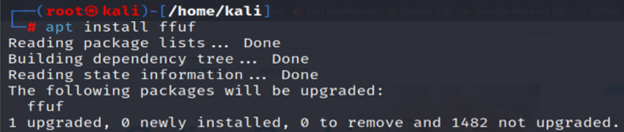
Before fuzzing, install FFUF and prepare wordlists. On popular pentesting distros (Kali, Parrot, BlackArch, etc.), FFUF is often pre-installed. Otherwise:
- From package: Most Linux distros have FFUF in their repos. For example, on Debian/Ubuntu/Kali:
| sudo apt update sudo apt install ffuf |
(On others, use the package manager or build from source)

- From source: Alternatively, use Go:
| go install github.com/ffuf/ffuf/v2@latest |

Make sure Go 1.16+ is installed and your GOPATH/bin is in $PATH.
- Wordlists: FFUF needs a list of words to try. The most popular source is SecLists – a huge collection of security wordlists (for usernames, passwords, URLs, etc.). Kali includes SecLists under /usr/share/wordlists/. Common choices are Discovery/Web-Content/raft-medium-words-lowercase.txt or dirb/common.txt for basic directory names. You can also craft custom lists. In any case, a good wordlist dramatically improves your chances of finding hidden content.
Basic Directory Brute-Force with FFUF
Once FFUF and your wordlist are ready, a simple scan can reveal hidden pages. FFUF’s most essential flags are -u (target URL) and -w (wordlist). You place the special keyword FUZZ in the URL to mark where words should be injected. For example:
| ffuf -u http://example.com/FUZZ -w /usr/share/wordlists/dirb/common.txt |
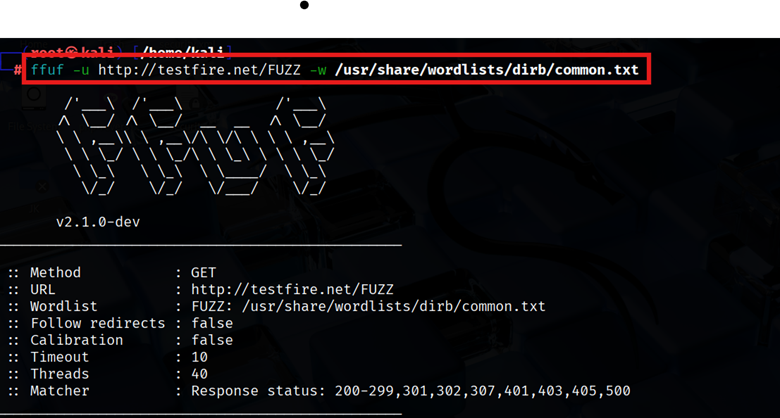
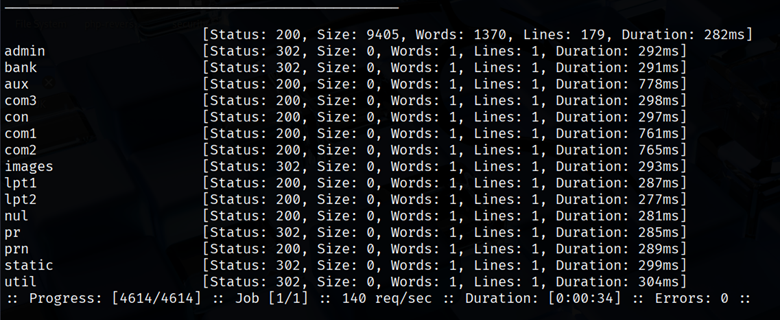
This tells FFUF to replace FUZZ with every entry in the wordlist. The output will list each found path, along with the HTTP status code, response size, and other stats. For instance, if /admin exists and returns a 200 OK, FFUF will report it.
Key points in this basic usage:
- -u URL: The target URL with FUZZ, where the fuzzing word will go.
- -w PATH: The path to your wordlist file (one word per line). FFUF will sequentially inject each word in place of FUZZ.
When FFUF runs, it prints results in real-time. Here’s a sample output line format.
| Code | Size | Words | Line | URL |
| 200 | 564 | 45 | 12 | /admin |
| 301 | 15 | 1 | 1 | /admin |
This tells you /admin returned a 200 code (OK) with a certain content size. You can often find things like /robots.txt, /sitemap.xml, or admin logins with such scans.
FFUF in Action: Common Flags and Tips
FFUF has many options to fine-tune your fuzzing. Here are the most practical ones:
- File Extensions (-e): If you know or suspect certain file types (like .php or .html), use -e to append those extensions to each word. For example:
| ffuf -u http://example.com/FUZZ -w wordlist.txt -e .php,.html |
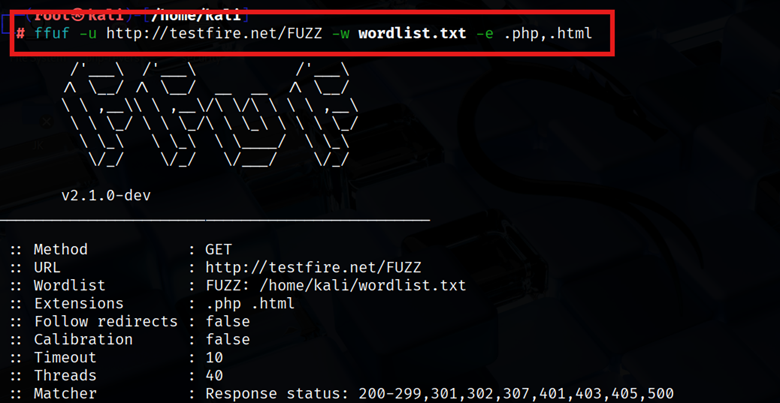
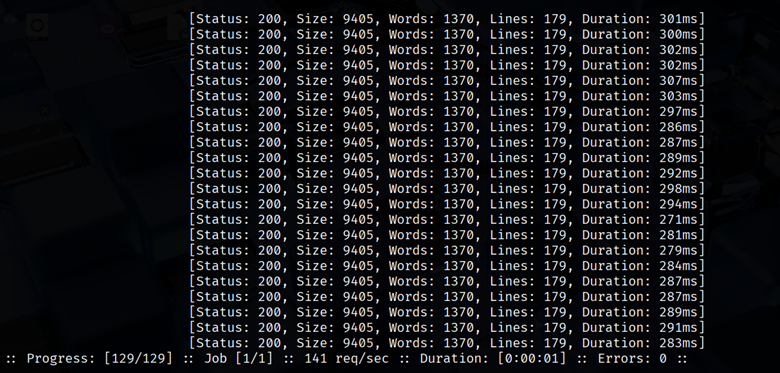
This will try word.php and word.html for each word. It’s handy when a site only serves .php pages or you want backups (e.g. index.php, config.php).
- Recursion (-recursion, -recursion-depth): Enable deeper scans. By default, FFUF only fuzzes the specified URL level. With recursion, it automatically fuzzes discovered subdirectories as well. For example:
| ffuf -u http://example.com/FUZZ -w wordlist.txt -recursion -recursion-depth 3 |
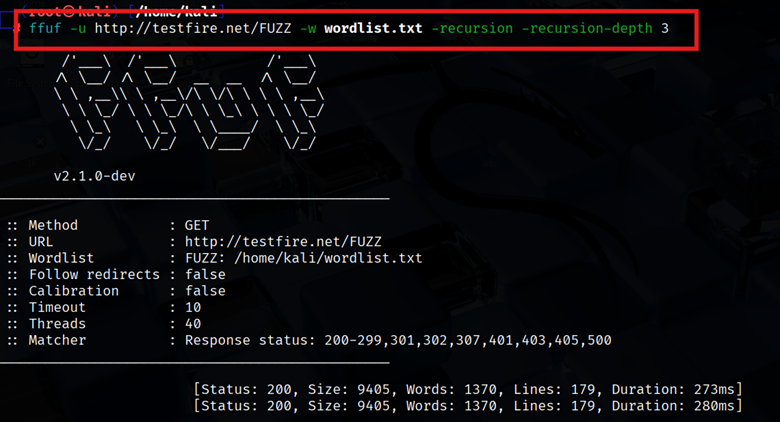
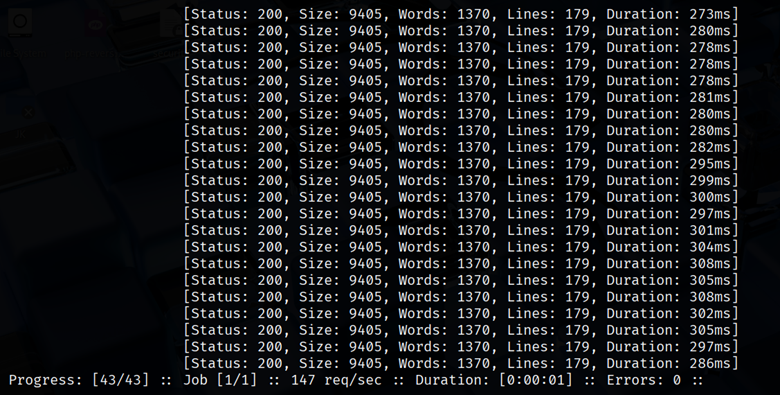
This will not only find /admin, but then fuzz inside /admin/ for /admin/* etc., up to 3 levels deep.
- Status Code Filtering (-mc): Often, you only care about certain HTTP codes. Use -mc (match code) to only show those. E.g. -mc 200 will only display 200 OK responses:
| ffuf -u http://example.com/FUZZ -w wordlist.txt -mc 200 |
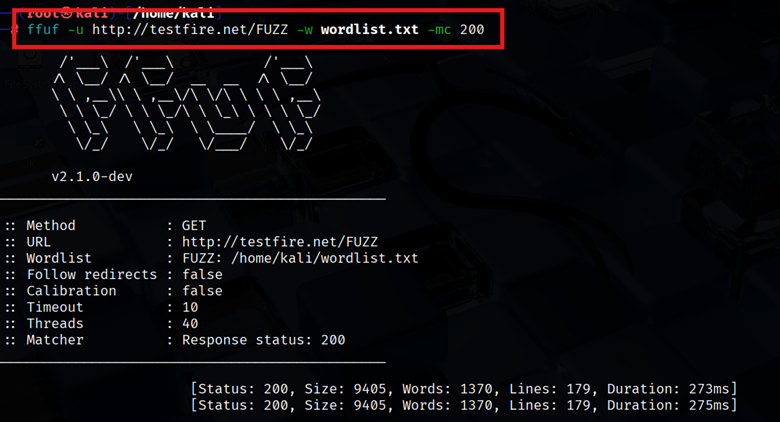
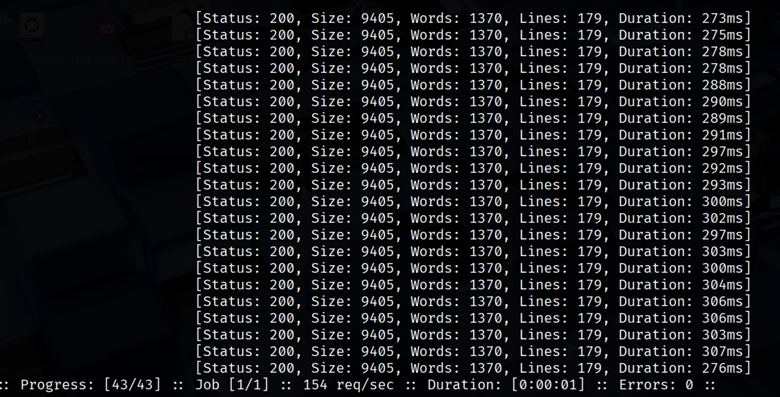
This filters out 404s and redirects, making results cleaner. You can specify multiple codes (e.g. -mc 200,403).
- Size/Lines Filtering (-ms, -ml, -mw): If the web app returns a constant response (like a 404 page) of a certain size or line count, you can hide those by filtering out that size. For example, find the size of the typical 404 page and then exclude it:
| ffuf -u http://example.com/FUZZ -w wordlist.txt -fs 12345 |
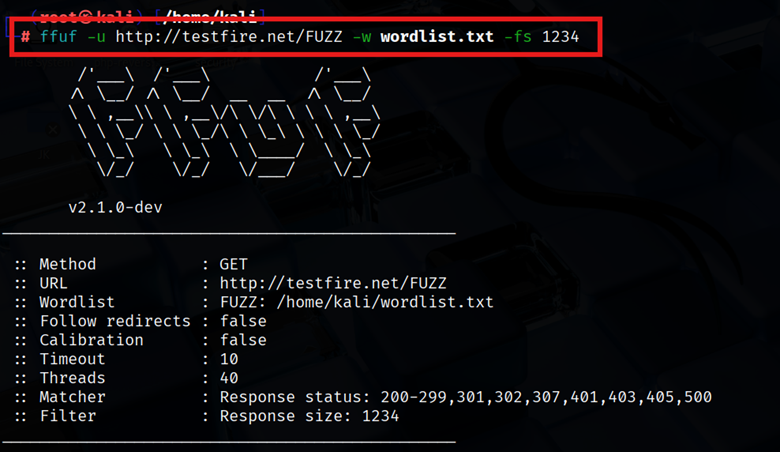
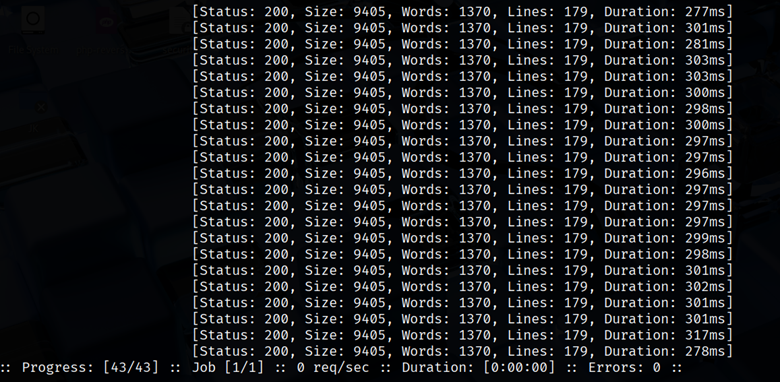
This hides any result with size 12345 bytes, which might be your generic 404, leaving only unusual hits.
- Regex Matching/Filtering (-mr, -fr): You can tell FFUF to only show results that match (-mr) or filter out results matching (-fr) a regex. For example, if you’re looking for pages that contain the word “Admin” in the response, use -mr admin. Or to skip any page containing “404 Not Found”, use -fr “404”.
- Multiple Keywords (Clusterbomb/Pitchfork): By default, FFUF uses the “sniper” mode (one wordlist, one position). You can fuzz multiple parameters or even domains by using multiple FUZZ placeholders with different wordlists. For instance:
| ffuf -u https://FUZZ.example.com/FUZZ -w subdomains.txt:FUZZ,dirs.txt:FUZZ |
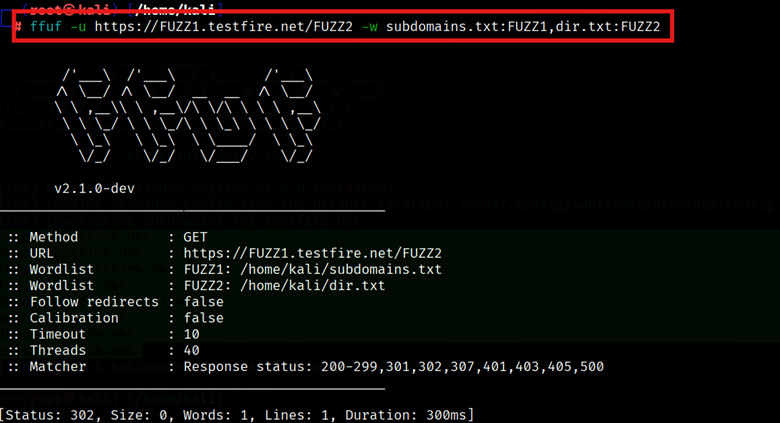
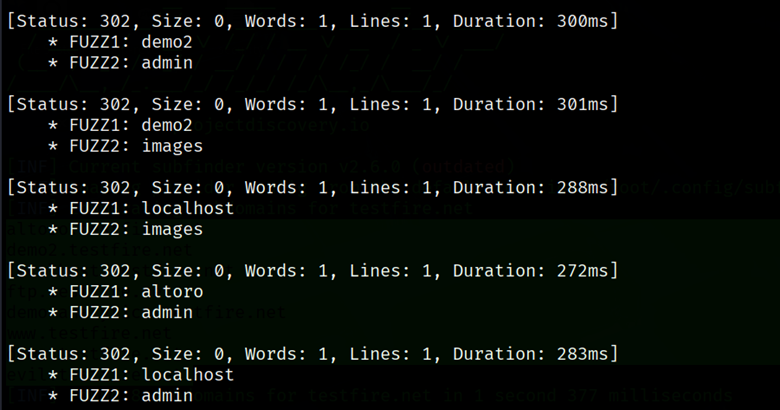
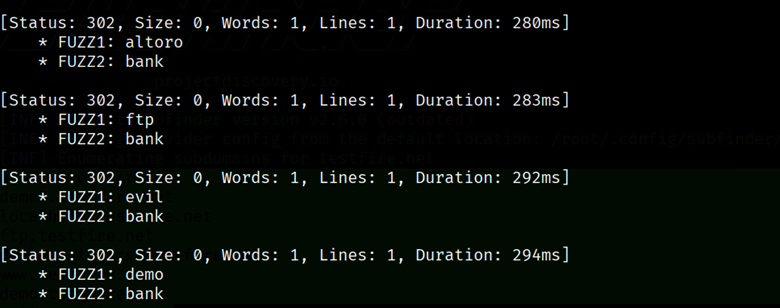
This runs in clusterbomb mode by default, trying all combinations of subdomain and directory names. (There’s also pitchfork mode to pair entries by line number.)
FFUF Tips and Best Practices
- Build Your Wordlist: Off-the-shelf lists are great, but also tailor them. Include company-specific terms, common backup filenames (db_backup, old, etc.), or language hints. A good set of names means a better fuzz.
- Avoid Detection: High-speed fuzzing can trigger WAFs or IPS. FFUF’s -t option lets you slow down (threads). For stealth, use fewer threads: -t 20 instead of 40.
- Analyze Carefully: A 200 OK might just be a redirect or error page. Always manually verify interesting hits. Sometimes FFUF shows a 200 for a “Not Found” page – use filtering by size or line count to weed these out.
- Combine Tools: Use FFUF with proxies (Burp, OWASP ZAP) by setting -x http://127.0.0.1:8080 if you want to capture requests. Or chain FFUF with curl/grep in scripts for automation.
AWAPT with InfosecTrain
Directory brute-forcing is a cornerstone of modern web application testing, and FFUF makes it faster, smarter, and more efficient. Whether you’re a seasoned pentester or an up-and-coming bug bounty hunter, mastering tools like FFUF gives you the edge to uncover misconfigurations, sensitive paths, and entry points attackers love.
In this guide, we explored how to install FFUF, use wordlists to brute-force directories, and fine-tune scans using practical flags like -e, -mc, and -recursion. But this is just the tip of the iceberg.

To take your web app pentesting skills from tool-based to tactical, our Advanced Web Application Penetration Testing (AWAPT) course at InfoSecTrain dives deeper. From fuzzing and bypassing WAFs to exploiting real-world vulnerabilities in live labs, AWAPT is designed for professionals who want to simulate advanced threats and secure applications effectively.
Ready to go beyond tools and think like an attacker?
Join our AWAPT Training and sharpen your offensive security skills with expert-led sessions and hands-on practice.
Stay curious. Stay ethical. Train smart with InfosecTrain.