Best Data Loss Prevention (DLP) Tools
Quick Insights:
Data Loss Prevention (DLP) tools act as an automated security team, monitoring sensitive data such as credit card numbers and source code in real time to stop leaks without disrupting productivity. The best solution depends on your organization’s needs: Microsoft Purview integrates seamlessly into the Microsoft 365 environment; Cyberhaven and Proofpoint protect modern cloud, email, and AI workflows; while enterprise giants like Symantec, Trellix, and Forcepoint offer deep hybrid-network control and insider threat tracking.
Imagine a bakery protecting its secret recipe book. Instead of locking it away, the owner hires a security team to watch the kitchen in real time. This team instantly blocks anyone attempting to photograph a page or copy sensitive text to a drive, yet they are smart enough to let a baker write down a legitimate grocery list.
In the digital world, Data Loss Prevention (DLP) tools act as that smart security team. They protect your company’s sensitive recipes, such as credit card data, employee records, and source code, by monitoring data across email, cloud storage, and devices. By analyzing behavior in real time, they keep your business productive while preventing critical secrets from slipping out the door.
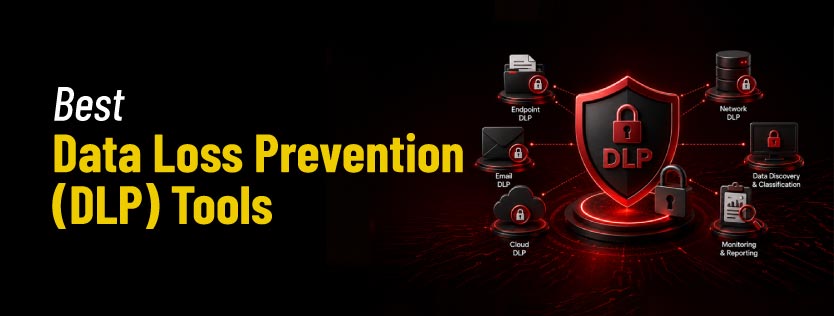
Best Data Loss Prevention (DLP) Tools
1. Microsoft Purview DLP
This widely used solution delivers seamless data protection, optimized for organizations already running Microsoft 365. It automatically identifies, monitors, and protects sensitive items across your entire corporate cloud infrastructure.
Key Feature
- Protects data across Microsoft 365 apps, including Outlook and Teams.
- Offers native endpoint DLP capabilities and insider risk management.
- Utilizes AI-powered data classification and detailed compliance reporting.
Best For: Organizations heavily using Microsoft ecosystems such as Outlook, SharePoint, Teams, and OneDrive.
2. Symantec Data Loss Prevention
Owned by Broadcom, this highly advanced, enterprise-grade suite provides robust data discovery and protection across all corporate vectors. It is designed to track data movement across complex hybrid environments.
Key Feature
- Delivers unified coverage across the network, endpoints, and cloud applications.
- Features advanced content inspection with Optical Character Recognition (OCR) for image analysis.
- Provides comprehensive incident response workflows and user behavior monitoring.
Best For: Large enterprises requiring deep visibility and advanced policy management.
3. Forcepoint DLP
This solution stands out by focusing strongly on human-centric security and tracking insider threat indicators. It dynamically shifts security controls based on individual user risk profiles and real-time behavioral analytics.
Key Feature
- Implements risk-adaptive security policies that adjust automatically to user behavior.
- Uses advanced data fingerprinting and OCR technology to track sensitive assets.
- Monitors employee data interactions across both cloud and endpoint channels in real time.
Best For: Organizations concerned about insider threats and risky employee behavior.
4. McAfee Total Protection for DLP
This comprehensive security suite provides end-to-end safeguarding of intellectual property and regulated corporate data. It combines traditional data filtering with strict control over peripheral devices.
Key Feature
- Offers tightly coupled endpoint and network DLP with data encryption integration.
- Restricts unauthorized data transfers via granular control of peripheral devices.
- Manages all security events and policy enforcement from a centralized console.
Best For: Organizations seeking integrated security and data protection capabilities.
5. Digital Guardian DLP
This specialized platform offers powerful, endpoint-focused data protection built to defend against both external threats and internal leaks. It helps secure intellectual property across diverse operating systems without interrupting daily workflows.
Key Feature
- Integrates endpoint detection and response (EDR) with advanced threat analytics.
- Provides full cross-platform support across Windows, macOS, and Linux endpoints.
- Supports flexible deployment models across cloud, on-premises, or hybrid environments.
Best For: Manufacturing, healthcare, and financial organizations handling highly sensitive intellectual property.
6. Trend Micro Integrated DLP
This lightweight option provides efficient data defense mechanisms embedded directly within your existing security infrastructure. It reduces deployment complexity by using predefined templates to stop data leaks across standard business applications quickly.
Key Feature
- Deploys a lightweight footprint that protects both email and endpoint channels.
- Utilizes predefined compliance templates for rapid policy setup and reporting.
- Integrates threat intelligence directly with centralized policy management.
Best For: Organizations looking for simple deployment and integrated cybersecurity solutions.
7. Proofpoint Enterprise DLP
This platform focuses heavily on people-centric security risks, specifically targeting data exfiltration via communication channels. It is optimized to track, block, and remediate data exposure within corporate emails and modern cloud collaboration applications.
Key Feature
- Specialized email DLP protection built to stop outbound sensitive data transmission.
- Maps data visibility across modern cloud applications and corporate collaboration tools.
- Combines insider threat management with advanced threat intelligence.
Best For: Organizations with heavy email communication and cloud collaboration requirements.
8. Cisco Secure DLP
This highly scalable solution provides deep data visibility by inspecting traffic as it passes through your network infrastructure. It seamlessly extends corporate security policies to cloud environments, making it ideal for distributed architectures.
Key Feature
- Performs deep network traffic inspection integrated with web and email security.
- Extends consistent data monitoring out to cloud storage and applications.
- Connects directly with advanced analytics and secure access control infrastructure.
Best For: Organizations already using Cisco security products and infrastructure.
9. Trellix Data Loss Prevention
Formed from McAfee Enterprise and FireEye, this mature suite focuses on agent-based data governance across endpoints and networks. It integrates data protection directly with extended detection and response (XDR) workflows, managing complex data life cycles from a centralized console.
Key Feature
- Integrates natively with broad XDR ecosystems to link data tracking with active threat detection.
- Enforces automatic, policy-driven remediation, such as file encryption, when sensitive items are moved to USB media.
- Standardizes policy management and monitoring across networks, discovery databases, and diverse operating systems.
Best For: Large enterprises with existing Trellix security stacks wanting data tracking tied directly to automated threat response.
10. Cyberhaven Behavioral DLP
This modern platform departs from traditional keyword matching by utilizing graph-based analytics to map complete data lineage. By continually tracking the origin and movement of files as they are modified or copied, it detects high-risk exfiltration without relying on manual tagging.
Key Feature
- Automatically traces the dynamic lifecycle and provenance of data as it changes forms or applications.
- Provides real-time AI guardrails to stop proprietary source code or intellectual property from leaking into public LLMs.
- Applies adaptive, context-aware user controls based on data destination risk rather than static classification rules.
Best For: Organizations needing deep visibility into unstructured data workflows across cloud collaboration, SaaS, and AI tools.
Conclusion
The right Data Loss Prevention solution depends entirely on your infrastructure and risk priorities, whether that means choosing Microsoft Purview’s native ecosystem integration, Symantec’s granular control, or Cyberhaven’s modern, behavior-based tracking. Ultimately, an effective DLP strategy ensures your team stays completely productive while keeping critical business data securely within organizational boundaries.
To complement these tools with a resilient enterprise strategy, the Security Architecture hands-on training from InfosecTrain provides the practical expertise required to design and implement comprehensive security frameworks across complex digital infrastructures.

TRAINING CALENDAR of Upcoming Batches For Security Architecture Training
Start Date
End Date
Start - End Time
Batch Type
Training Mode
Batch Status
14-Nov-2026
06-Dec-2026
09:00 - 13:00 IST
Weekend
Online
[ Open ]
Frequently Asked Questions
What is the difference between endpoint and network DLP?
Endpoint DLP runs directly on user devices to block local actions, such as saving files to a USB drive, even when offline. Network DLP monitors data in transit, scanning emails, web traffic, and file transfers across the corporate network.
Can DLP tools block data uploads to personal cloud storage?
Yes. Modern DLP tools monitor web browser activity and can instantly block a user from uploading sensitive files to unauthorized personal accounts (like personal Google Drive or Dropbox) while keeping approved corporate cloud channels open.
How do DLP tools protect data from leaking into public AI tools?
Next-generation DLP solutions use real-time web guardrails. If an employee tries to copy and paste proprietary source code or confidential business reports into a public AI prompt, the tool recognizes the sensitive context and blocks the text transfer.
Will a DLP solution slow down employee workflows?
Not if properly tuned. While poorly configured rules can lead to restrictive false positives, modern tools use behavioral analytics to easily distinguish a secure, authorized daily task from an actual data leak.
Why is Optical Character Recognition (OCR) important for DLP?
OCR allows the security tool to read text hidden inside images, PDFs, or screenshots. If someone takes a picture of a sensitive recipe sheet and tries to email it, OCR scans the image text, flags it as protected data, and blocks the message.