AI Powered Course
Workspace AI Mastery Training Course
Supercharging Productivity with AI in Gmail, Docs, Sheets, and Slides




Program Highlights
Master AI-powered productivity with a structured, hands-on learning experience designed for modern professionals. This program includes 16 hours of LIVE instructor-led training, practical exercises, and real-world business workflow simulations. Learners gain access to prompt templates, a full capstone project, and guidance from certified experts who ensure skill-building that truly translates into workplace impact. With recorded session access, a dedicated Telegram support group, and personalized career guidance & mentorship, you stay supported throughout your learning journey and beyond.
 16-Hour LIVE Instructor-led Training
  Hands-on exercises
  Practical Approach
  Capstone Project
  Prompt Templates
  Certified Experts
  Career Guidance & Mentorship
  Dedicated Telegram Support Group
  Access to Recorded Sessions
Training Schedule
- upcoming classes
- corporate training
- 1 on 1 training
Looking for a customized training?
REQUEST A BATCHWhy Choose Our Corporate Training Solution
- Upskill your team on the latest tech
- Highly customized solutions
- Free Training Needs Analysis
- Skill-specific training delivery
- Secure your organizations inside-out
Why Choose 1-on-1 Training
- Get personalized attention
- Customized content
- Learn at your dedicated hour
- Instant clarification of doubt
- Guaranteed to run


About Course
This blended training program is designed to help professionals master AI-driven productivity using both Google Gemini and Microsoft Copilot—a dual-platform approach that mirrors real enterprise environments. Across live sessions and hands-on projects, you will learn how to automate documents, analyse data, craft presentations, enhance communication, and build end-to-end workflows using AI across Workspace and Microsoft 365. The course culminates in a capstone project where Gemini and Copilot are combined into one unified, AI-powered reporting workflow, giving you the confidence to apply these tools directly in your job. Whether you’re aiming to streamline your daily tasks or drive AI adoption within your team, this program equips you with the skills, mindset, and best practices to work smarter and faster.
Course Curriculum
- Module 1: The AI Workspace Revolution
- Understand how AI is transforming everyday productivity.
- Explore the roles of Google Gemini and Microsoft Copilot.
- Identify key areas where AI can automate your daily work.
- Module 2: Smarter Writing with Gemini in Google Docs
- Learn how to co-write and edit professional documents with Gemini.
- Use AI to draft, summarize, and refine reports or proposals.
- Adjust tone, structure, and clarity with intelligent prompts.
- Module 3: Automating Data Analysis with Gemini in Google Sheets
- Turn raw data into smart insights and visual summaries.
- Let Gemini create formulas and detect patterns automatically.
- Forecast trends using natural language commands.
- Module 4: Designing Presentations with Gemini in Google Slides
- Convert ideas or data into presentation-ready slides instantly.
- Use Gemini to enhance layout, design, and storytelling.
- Maintain brand consistency with AI-powered templates.
- Module 5: Streamlining Communication with Gemini in Gmail & Meet
- Summarize email threads and generate professional replies.
- Capture meeting notes and action points automatically.
- Learn to organize team communication using Gemini.
- Module 6: Gemini Across Workspace Apps
- Discover how Gemini integrates across Docs, Sheets, and Slides.
- Learn how to manage AI-generated content securely.
- Explore collaboration features within Google Workspace.
- Module 7: Writing and Editing with Copilot in Word
- Use Copilot to draft, edit, and format professional content.
- Create reports, letters, and summaries in seconds.
- Learn to prompt effectively for tone and structure.
- Module 8: Data Insights with Copilot in Excel
- Automate data cleaning, analysis, and visualization.
- Generate dashboards and trend reports through prompts.
- Simplify complex formulas with AI-assisted logic
- Module 9: Present Like a Pro with Copilot in PowerPoint
- Turn outlines or Word documents into polished slide decks.
- Refine storytelling, visuals, and flow using AI.
- Design impactful presentations faster.
- Module 10: Smarter Communication with Copilot in Outlook & Teams
- Summarize long email threads and draft quick responses.
- Generate concise meeting summaries and task lists.
- Learn how Copilot improves team collaboration.
- Module 11: Workflow Automation Across Microsoft 365
- Integrate Word, Excel, and Teams into connected AI workflows.
- Automate routine reporting and communication tasks.
- Explore enterprise-ready use cases.
- Module 12: Responsible AI & Governance
- Understand ethical AI usage and data privacy fundamentals.
- Learn responsible prompting and content validation practices.
- Apply governance standards to AI-powered workflows.
- Capstone Project: Building an AI-Powered Workflow
- Combine Gemini and Copilot to automate a complete workspace process.
- Create connected workflows across documents, data, and presentations.
- Measure efficiency improvements and present your AI solution.
Target Audience
This course is ideal for:
- Business professionals seeking to leverage AI for smarter productivity.
- Managers and team leads looking to automate reports, insights, and communications.
- Business analysts and IT professionals implementing AI-based process improvements.
- Knowledge workers and executives aiming to integrate AI tools into daily workflows.
- Early adopters of workplace AI who want to stay ahead in digital collaboration.
- Anyone willing to increase their daily productivity.
Pre-requisites
- Basic familiarity with Google Workspace and Microsoft 365 apps (Docs, Sheets, Word, Excel, etc.).
- General understanding of workplace productivity and collaboration tools.
- No prior AI or programming knowledge required.
Course Objectives
By the end of this course, participants will be able to:
- Understand how Google Gemini and Microsoft Copilot enhance productivity across business workflows.
- Automate document creation, data analysis, presentations, and communication using AI tools.
- Design effective prompts to generate context-aware, reusable AI outputs.
- Integrate Gemini and Copilot across apps to build end-to-end automated workflows.
- Apply responsible AI practices to ensure privacy, compliance, and ethical use.
- Co-write, summarize, and edit professional content using AI in Docs, Word, and Outlook.
- Automate analytics and create dynamic dashboards in Sheets and Excel.
- Design visually engaging presentations in Slides and PowerPoint with AI support.
- Generate meeting notes, email summaries, and action items using Gemini and Copilot.
- Combine multiple AI tools to build unified workflows across Google and Microsoft ecosystems.
- Evaluate AI solutions for compliance, security, and organizational readiness.


Vision

Goal

Skill-Building

Mentoring

Direction

Support

Success

It was a very good experience with the team. The class was clear and understandable, and it benefited me in learning all the concepts and gaining valuable knowledge.

I loved the overall training! Trainer is very knowledgeable, had clear understanding of all the topics covered. Loved the way he pays attention to details.

I had a great experience with the team. The training advisor was very supportive, and the trainer explained the concepts clearly and effectively. The program was well-structured and has definitely enhanced my skills in AI. Thank you for a wonderful learning experience.

The class was really good. The instructor gave us confidence and delivered the content in an impactful and easy-to-understand manner.

The program helped me understand several areas I was unfamiliar with. The instructor was exceptionally skilled and confident in delivering content.
The program was well-structured and easy to follow. The instructor’s use of real-life AI examples made it easier to connect with and understand the concepts.

Frequently Asked Questions
What is the Workspace AI Tools training?
It is a live, hands-on training program that teaches you how to use Google Gemini and Microsoft Copilot to automate everyday work across Docs, Sheets, Slides, Word, Excel, PowerPoint, Gmail, Outlook, and Teams.
Who should enroll in the Workspace AI Tools training?
Professionals, managers, analysts, team leads, executives, and anyone who wants to improve productivity, automate workflows, or use AI tools effectively in workplace tasks.
What skills will I gain from this training?
You will learn to draft documents with AI, analyse data, design presentations, automate communication, build cross-app workflows, design effective prompts, and use Gemini and Copilot to enhance your daily efficiency.
Is any prior technical knowledge required for this course?
No. Basic familiarity with Google Workspace or Microsoft 365 is enough. No programming or AI background is required.
How will this training help improve workplace productivity?
You’ll learn how to automate repetitive tasks, generate documents and reports quickly, analyse data with natural language, and streamline communication, saving hours of manual effort each week.
Are there hands-on exercises or projects included in the course?
Yes. The training includes guided exercises, practical tasks, and a capstone project where you build a complete AI-powered workflow using both Gemini and Copilot.
What career opportunities can I explore after completing this program?
You can apply these skills in roles such as productivity specialist, operations analyst, team lead, AI adoption champion, business analyst, digital transformation executive, or any role requiring efficient workflow management.
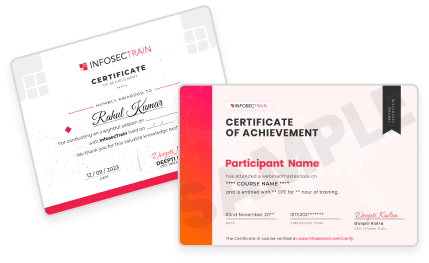
Will I get a certificate after completing the Workspace AI Tools training?
Yes. Participants receive a certificate of completion validating their skills in Gemini, Copilot, and AI-powered workflow automation.
How is Workspace AI Tools training different from other AI productivity courses?
This program is unique because it teaches both Google Gemini and Microsoft Copilot in one integrated course, includes real-world enterprise projects, and ends with a capstone that combines both platforms into a single automated workflow.