AI Powered Course
Google Gemini Mastery Training | Beginner to Expert Gemini Training
Supercharge Productivity with AI in Gmail, Docs, Sheets, and Slides

Program Highlights
The Google Gemini Mastery Training is your gateway to mastering AI-powered productivity across the Google Workspace suite. Through an interactive, instructor-led experience, you’ll uncover how Gemini transforms Gmail, Docs, Sheets, and Slides into intelligent assistants that automate, analyze, and create for you. The training emphasizes real-world application, helping you design smarter workflows, accelerate collaboration, and deliver professional results faster. Guided by certified experts, you’ll gain hands-on experience, build an AI-driven project, and leave with practical skills to elevate your personal and organizational efficiency.
 08-Hour LIVE Instructor-led Training
  Hands-on Exercises
  Capstone Project Integrated
  AI Prompt Templates
  Practical Approach
  Certified Experts
  Career Guidance & Mentorship
  Dedicated Telegram Support Group
  Access to Recorded Sessions
Training Schedule
- upcoming classes
- corporate training
- 1 on 1 training
Looking for a customized training?
REQUEST A BATCHWhy Choose Our Corporate Training Solution
- Upskill your team on the latest tech
- Highly customized solutions
- Free Training Needs Analysis
- Skill-specific training delivery
- Secure your organizations inside-out
Why Choose 1-on-1 Training
- Get personalized attention
- Customized content
- Learn at your dedicated hour
- Instant clarification of doubt
- Guaranteed to run

Course Curriculum
- Module 1: Introduction to Google Gemini & Workspace AI
- Overview of Gemini capabilities and Workspace integration
- Limitations and business value
- Setting up and enabling Gemini for enterprise use
- Real-world examples of AI-driven productivity
- Module 2: Using Gemini in Docs
- Drafting, summarizing, and refining documents
- Rewriting content with different tones and formats
- Hands-on Exercise: Generate a policy document and executive summary
- Module 3: Using Gemini in Sheets
- Automated formula creation and data analysis
- Creating dashboards and visualizations with AI assistance
- Hands-on Exercise: Build a sales performance dashboard with auto insights
- Module 4: Using Gemini in Slides
- Transforming text and data into presentations
- Optimizing design, layout, and storytelling
- Hands-on Exercise: Create a project pitch deck
- Module 5: Using Gemini in Gmail & Meet
- Drafting emails, summarizing threads, and generating smart responses
- Automating meeting notes and extracting key actions
- Hands-on Exercise: Automate weekly reporting and team updates
- Module 6: Prompt Frameworks & Workflow Integration
- Designing effective prompts for different professional scenarios
- Creating reusable templates across Docs, Sheets, Slides, and Gmail
- Integrating workflows across Workspace apps
- Hands-on Exercise: Build a complete AI-assisted team reporting workflow
- Module 7: Responsible AI Use & Governance
- Data access, privacy, and Workspace security considerations
- Ethical AI usage in professional settings
- Admin and organizational controls to manage AI usage
- Hands-on Exercise: Evaluate workflows for compliance and bias
- Capstone Project
- Develop an AI-driven reporting workflow integrating Docs, Sheets, Slides, and Gmail
- Automate data analysis, report generation, and presentation creation
- Evaluate and optimize workflow efficiency, collaboration, and compliance
- Tools Covered
- Google Workspace apps: Docs, Sheets, Slides, Gmail, Meet
- Google Gemini (Workspace AI)
- Google Drive
Target Audience
This training is ideal for:
- Business professionals, managers, educators, and entrepreneurs using Google Workspace.
- Teams aiming to automate reporting, content creation, and collaboration.
- L&D specialists implementing AI-enabled workplace productivity workflows.
- Knowledge workers exploring AI integration for efficiency and automation.
Pre-requisites
- Familiarity with Google Workspace applications.
- Access to a Gemini-enabled Workspace account (Business/Enterprise edition recommended).
- No prior programming or AI experience required.
Course Objectives
Upon successful completion of the training, participants will be able to:
- Use Gemini effectively across Google Workspace apps.
- Draft, summarize, and refine professional documents and presentations.
- Automate formula creation, data analysis, dashboards, and reporting in Sheets.
- Generate smart email responses, meeting notes, and action items in Gmail and Meet.
- Design reusable prompts and templates for various business scenarios.
- Integrate multiple Workspace apps into AI-driven workflows.
- Apply privacy and ethical best practices in AI usage.
- Measure workflow efficiency and productivity improvements using AI.


Vision

Goal

Skill-Building

Mentoring

Direction

Support

Success

It was a very good experience with the team. The class was clear and understandable, and it benefited me in learning all the concepts and gaining valuable knowledge.

I loved the overall training! Trainer is very knowledgeable, had clear understanding of all the topics covered. Loved the way he pays attention to details.

I had a great experience with the team. The training advisor was very supportive, and the trainer explained the concepts clearly and effectively. The program was well-structured and has definitely enhanced my skills in AI. Thank you for a wonderful learning experience.

The class was really good. The instructor gave us confidence and delivered the content in an impactful and easy-to-understand manner.

The program helped me understand several areas I was unfamiliar with. The instructor was exceptionally skilled and confident in delivering content.
The program was well-structured and easy to follow. The instructor’s use of real-life AI examples made it easier to connect with and understand the concepts.

Frequently Asked Questions
What is the Google Gemini Mastery course?
It’s a live, instructor-led training designed to teach professionals how to use Google Gemini AI effectively across Docs, Sheets, Slides, Gmail, and Meet for automation, content creation, and workflow enhancement.
Who should take the Google Gemini Mastery training?
This course is ideal for business professionals, managers, educators, entrepreneurs, and teams using Google Workspace who want to leverage AI for productivity and automation—no technical background required.
What are the key skills I’ll learn from this program?
You’ll learn to draft and summarize content, automate data analysis, create AI-driven presentations, generate smart email responses, and design cross-app AI workflows using Gemini.
Does this course cover Gemini integration with Google Workspace tools?
Yes. Each module focuses on practical Gemini applications within Docs, Sheets, Slides, Gmail, and Meet, along with configuration steps for enterprise users.
Do I need prior AI knowledge to join this course?
No prior AI or programming experience is needed. Familiarity with Google Workspace apps is recommended.
How can Gemini help improve productivity and workflows?
Gemini automates repetitive tasks like drafting, reporting, and summarizing—freeing up time for strategic thinking and faster decision-making across your daily operations.
Are there hands-on demonstrations or projects included?
Yes. Every module includes guided exercises and a capstone project that integrates all Workspace tools into a real-world AI workflow.
Will this course teach prompt engineering and Gemini extensions?
Absolutely. You’ll learn prompt frameworks, reusable AI templates, and integration techniques for maximizing Gemini’s capabilities.
What career or skill benefits can I expect after completing this program?
You’ll gain AI-driven productivity skills highly valued in modern workplaces, improving your efficiency, digital fluency, and employability in data-informed and creative roles.
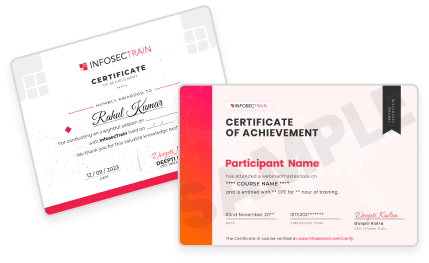
Will I receive a certificate after completing the Google Gemini Mastery training?
Yes. Upon completion, participants will receive a training completion certificate issued by InfosecTrain.