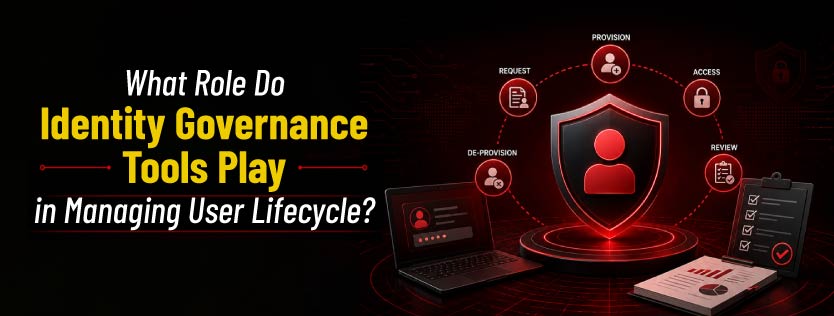
What Role Do Identity Governance Tools Play in Managing User Lifecycle?
Quick Insights:
Identity Governance and Administration (IGA) tools automate the entire user lifecycle by managing access for employees as they join, change roles, or leave an organization. These tools improve security through automated provisioning and deprovisioning, Role-Based Access Control (RBAC), access reviews, Segregation of Duties (SoD), and continuous monitoring. They also strengthen compliance, reduce manual effort, enhance audit readiness, and provide a smoother user experience through self-service access management. Overall, IGA helps organizations maintain secure, efficient, and compliant identity management processes.
Have you ever wondered how a new employee gets the right access on day one and loses it the moment they leave?
Imagine a company where every joiner, mover, and leaver passes through a smooth digital doorway. Identity governance tools act as the quiet guardian at that door, ensuring the right people get the right access at the right time. They help automate onboarding, update permissions when roles change, and remove access when someone exits. In this way, they keep the user lifecycle secure, organized, and aligned with company policy.
Understanding User Lifecycle Management
Identity governance tools streamline the entire User Lifecycle by automating the granting, modification, and revocation of access. By replacing manual tickets with policy-driven workflows, these tools ensure that digital identities remain secure and compliant from hire to retire.
Here is a Breakdown of their Core Functions:
1. Automating Identity Provisioning and Deprovisioning
IGA tools act as the automated bridge between HR systems and IT resources.
- Instant Access: They automatically create accounts for new hires based on predefined roles.
- The Kill Switch: They ensure timely deprovisioning when an employee exits, preventing orphaned accounts.
- Efficiency: This role eliminates manual entry errors and reduces administrative overhead.
2. Enforcing Role-Based Access Control (RBAC)
Instead of assigning permissions to individuals one by one, IGA tools use standardized roles.
- Alignment: They ensure users receive access that matches their specific responsibilities.
- Least Privilege: They enforce security by granting users only the privileges that they need to do their jobs.
- Dynamic Updates: Role changes automatically update a user’s access levels.
3. Supporting Access Reviews and Certifications
These tools act as a compliance engine to keep permissions accurate over time.
- Periodic Validation: They enable managers to regularly review and sign off on their team’s access.
- Cleanup: They help identify and remove excessive or unused permissions that create security gaps.
- Audit Proof: They provide the necessary documentation to demonstrate compliance with regulations such as ISO 27001 or GDPR.
4. Managing Segregation of Duties (SoD)
IGA tools serve as a fraud-prevention layer by identifying toxic access combinations.
- Conflict Detection: They prevent a single user from having conflicting rights (e.g., the ability to both create a vendor and pay a vendor).
- Risk Alerts: They notify administrators of potential policy violations during the provisioning process.
5. Enhancing Compliance and Audit Readiness
They serve as a centralized vault for all identity-related data.
- Detailed Records: They track every access request, approval, and role change.
- Transparency: This role makes it easy for auditors to verify that security controls are actually working.
6. Improving Security Through Visibility and Analytics
Modern IGA tools act as an intelligence hub for security teams.
- Centralized Dashboards: They provide a single view of user access across the entire company.
- Behavior Monitoring: They use analytics to spot anomalies or risky behavior before a breach occurs.
7. Streamlining User Experience
Finally, these tools serve as a service portal for employees.
- Self-Service: Users can request the access they need through a simple interface.
- Faster Approvals: Automated workflows mean users don’t have to wait days for manual IT intervention to get back to work.
Conclusion
Think of Identity Governance as a Digital Lighthouse for an organization’s ever-shifting landscape. It guides every employee’s digital journey, ensuring the right people always have the right keys to the right doors.
As people join, move, or eventually depart, these tools act as an automated symphony. They turn the manual chaos of access requests into a smooth process where doors lock securely the moment a user leaves.
By keeping permissions accurate, businesses don’t just stay secure—they build a foundation of trust and transparency. This satisfies both strict auditors and a modern, fast-moving workforce.
In the end, effective identity management is about more than controlling data; it is about empowering people to innovate safely in a connected world.
Take the next step in mastering these complex architectures with Infosectrain. Our ISSAP Training & Certification program provides the high-level expertise needed to design and manage robust security solutions that protect critical information assets.

Frequently Asked Questions
What is the Joiner-Mover-Leaver process?
It is the framework for managing an employee’s access from the day they are hired (Joiner), through any role transitions (Mover), until they eventually depart the organization (Leaver).
How do these tools prevent Privilege Creep?
By automatically revoking old, unnecessary permissions whenever an employee changes departments or roles, we ensure they only have the access required for their current job.
Why is automated offboarding critical for security?
It acts as an instant kill switch, disabling all accounts the moment someone leaves, preventing orphaned accounts that hackers often target to gain unauthorized network access.
What is an Access Review?
It is a periodic check-up in which managers must officially certify that their team members still need their assigned permissions, supporting the principle of Least Privilege.
How does identity governance help with audits?
It maintains a detailed, timestamped digital paper trail of every access request and approval, making it easy to provide evidence for standards like ISO 27001 or GDPR.
What is Birthright Access in onboarding?
It is the standard set of permissions automatically granted to every new hire based on their role, ensuring they have essential tools like email and HR portals on Day 1.
What is the role of Least Privilege?
It is a security principle that users are given only the minimum access necessary for their jobs, which these tools enforce through automated role updates and regular access reviews.