AI Powered Course
Vibe Coding Training (Hands-On AI App Development)
Build Apps Smarter with AI




Program Highlights
The Vibe Coding Training by InfosecTrain is your fast track into the world of AI-powered app development without needing a programming background. Over 24 hours of live, interactive training, you’ll master the art of “talking to AI to build apps” using tools like Replit, Cursor AI, and Windsurf. Each session combines guided labs, real-world projects, and hands-on debugging, so you don’t just learn concepts, you build and deploy working applications. With expert mentorship, access to recorded sessions, and a recognized certificate, this course equips you with practical skills, career-ready confidence, and future-proof opportunities in AI development.
 24-Hour LIVE Instructor-led Training
  Hands-on Training
  End-to-end Project
  Structured Labs
  Guided Tool Training
  Certified Experts
  Career Guidance & Mentorship
  Post Training Support
  Access to Recorded Sessions
Training Schedule
- upcoming classes
- corporate training
- 1 on 1 training
Looking for a customized training?
REQUEST A BATCHWhy Choose Our Corporate Training Solution
- Upskill your team on the latest tech
- Highly customized solutions
- Free Training Needs Analysis
- Skill-specific training delivery
- Secure your organizations inside-out
Why Choose 1-on-1 Training
- Get personalized attention
- Customized content
- Learn at your dedicated hour
- Instant clarification of doubt
- Guaranteed to run


About Course
Vibe Coding is the future of software development, where AI becomes your coding partner. Instead of struggling with syntax and endless debugging, you’ll learn how to communicate with AI through prompts to create functional applications quickly and efficiently. This training course takes you step by step—starting from AI basics, moving into debugging, and progressing toward full-scale projects. Whether you’re a student, professional, or aspiring innovator, this course will equip you with the skills to confidently build, refine, and deploy AI-powered apps with zero prior coding experience.
Course Curriculum
- To maintain focus and streamline learning, the course will use three core AI coding platforms:
- Replit + Replit Agent
- Cursor AI
- Windsurf
- Module 1: Introduction to Vibe Coding & Tools
- What is vibe coding and why it matters?
- Traditional Coding vs. Vibe Coding
- Developer fundamentals:
- What is code?
- Inputs, outputs, logic (explained with simple real-life examples).
- Setting up accounts on Replit, Cursor AI, Windsurf
- Lab:
- Generate your first “Hello World” app with AI and run it
- Module 2: Understanding Prompts & Planning
- What is a prompt? Why clear instructions matter
- Good vs. bad prompts (with simple examples)
- Planning before prompting:
- How to outline what you want to build
- Simple workflows → from idea → design → AI prompt → testing
- Lab:
- Ask AI to build a basic calculator app
- Module 3: Building Your First App in Replit
- What is Replit, what is a cloud IDE (explained simply)
- How to start a project, where code goes, where results show up
- How Replit Agent helps beginners
- Introducing best practices for structuring small apps
- Lab:
- Build and deploy a To-Do List App with guidance.
- Module 4: Debugging Made Simple with Cursor AI
- Introduction and basics of “Debugging”
- Debugging & Fixing Challenges: What breaks and how to fix it
- Syntax errors → how to read messages and correct typos
- Logic errors → how to test step by step and adjust functions
- UI/display issues → how to check and fix rendering problems
- AI assistance → how to use Replit Agent and Cursor AI for guided troubleshooting
- Lab:
- Create a Quiz App. Then break it on purpose → use AI to fix it
- Know when to use AI help and when to rely on your own logic
- Module 5: Quick Prototyping with Windsurf
- What is a prototype and why it’s important
- How Windsurf speeds up prototyping
- Lab:
- Build a one-page Personal Portfolio website.
- Module 6: Combining Tools for Bigger Projects
- When to use Replit vs. Cursor vs. Windsurf
- Moving projects between tools
- Introduction to simple workflows for bigger apps
- Lab:
- Group project – Build a Notes App with (Replit + Cursor)
- Module 7: AI-Generated Code Security & Limitations
- Risks of AI-generated code: errors, hallucinations, over-reliance
- Safe coding practices with AI assistance
- Simple checklist: Test, Review, Don’t blindly trust
- Module 8: Capstone Project
- Step 1: Brainstorm an idea (weather app, mini blog, portfolio, flashcards)
- Step 2: Design & workflow planning
- Step 3: Write prompts and build with the chosen tool.
- Step 4: Debug & refine
- Step 5: Deploy & present
- Trainers provide starter templates + guided walkthroughs
Target Audience
This training is ideal for:
- Aspiring Developers
- Tech Enthusiasts & Innovators
- IT & Business Professionals
- Students & Career Starters
- Leaders & Decision-Makers
Pre-requisites
To make the most of this course, it is advised that students have:
- A basic understanding of computers and the internet.
- Familiarity with everyday software applications (spreadsheets, browsers, etc.).
- Willingness to learn through prompts, experimentation, and iteration.
- No prior coding knowledge is required—all coding will be AI-assisted.
Course Objectives
Upon successful completion of the training, participants will be able to:
- Understand the principles and workflows of vibe coding.
- Use AI agents effectively to generate, refine, and debug code.
- Develop and deploy functional web applications using Replit and Cursor AI.
- Apply best practices for prompting, iteration, and debugging in real-world projects.
- Collaborate with AI tools to accelerate software development and prototyping.
- Build confidence in AI-assisted coding without prior programming knowledge.


Vision

Goal

Skill-Building

Mentoring

Direction

Support

Success

It was a very good experience with the team. The class was clear and understandable, and it benefited me in learning all the concepts and gaining valuable knowledge.

I loved the overall training! Trainer is very knowledgeable, had clear understanding of all the topics covered. Loved the way he pays attention to details.

I had a great experience with the team. The training advisor was very supportive, and the trainer explained the concepts clearly and effectively. The program was well-structured and has definitely enhanced my skills in AI. Thank you for a wonderful learning experience.

The class was really good. The instructor gave us confidence and delivered the content in an impactful and easy-to-understand manner.

The program helped me understand several areas I was unfamiliar with. The instructor was exceptionally skilled and confident in delivering content.
The program was well-structured and easy to follow. The instructor’s use of real-life AI examples made it easier to connect with and understand the concepts.

Frequently Asked Questions
What is Vibe Coding and how does it simplify AI app development?
Vibe Coding is a beginner-friendly way of creating applications by communicating with AI through natural prompts, instead of writing every line of code manually. It simplifies app development by automating complex coding tasks and providing real-time debugging support.
Who should join the Vibe Coding training course at InfosecTrain?
Anyone interested in learning AI-driven development - students, aspiring developers, IT professionals, business leaders, or non-technical innovators; can benefit from this course.
Do I need prior programming knowledge to learn Vibe Coding?
No prior coding experience is required. The course is designed for complete beginners, with AI-assisted coding to guide you at every step.
How long is the Vibe Coding training program?
The program consists of 24 hours of live, instructor-led sessions, spread across a flexible schedule.
What skills will I gain from this AI app development course?
You’ll learn how to plan, prompt, build, debug, and deploy AI-powered applications using Replit, Cursor AI, and Windsurf. You’ll also gain skills in AI-assisted debugging, rapid prototyping, and project workflows.
Does the course include hands-on AI app development projects?
Yes. Every module includes guided labs and real-world projects, such as building apps with Replit, debugging with Cursor AI, and rapid prototyping with Windsurf. These practical exercises ensure you gain experience by actually building and refining applications.
How does Vibe Coding help in debugging and collaboration?
Tools like Cursor AI and Replit Agent simplify debugging by identifying errors and suggesting fixes. You’ll also learn AI + human collaboration best practices for efficient coding.
What makes InfosecTrain’s Vibe Coding course unique?
InfosecTrain combines expert-led instruction, structured labs, real-world projects, post-training support, and certification, making this a career-ready learning experience.
Is this training suitable for non-technical professionals?
Yes. Even if you’re not from a technical background, you can learn to use AI to create functional apps without traditional coding.
Will I receive a certificate after completing the course?
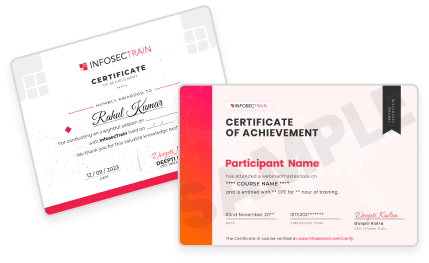
Yes, you’ll earn a certificate of completion from InfosecTrain.
How can I enroll in the Vibe Coding training program?
You can Enroll Now, Download the Brochure, or request a Corporate Team Training Quote directly from InfosecTrain or simply reach out at sales@infosectrain.com for further details.
What are the career opportunities after learning Vibe Coding?
You’ll be ready for roles in AI-assisted development, rapid prototyping, product innovation, and AI-driven business solutions.
Can corporate teams benefit from this AI app development training?
Absolutely. Teams can learn to accelerate app development, streamline workflows, and innovate with AI tools.
How does this course prepare learners for AI-driven future careers?
By mastering AI-assisted coding, debugging, and deployment workflows, you’ll gain future-ready skills that are in high demand across industries.