
Program Highlights
InfosecTrain’s Microsoft Copilot for Enhanced Productivity Training is a cutting-edge program designed to empower professionals with AI-driven automation skills. This live, instructor-led training ensures hands-on experience with Microsoft Copilot, helping participants streamline workflows, enhance collaboration, and maximize productivity across Word, Excel, PowerPoint, Outlook, and Teams. With expert guidance, real-world case studies, and post-training support, this course is the ultimate step toward AI-powered workplace efficiency.
 8-Hour LIVE Instructor-led Training
  100% Hands-on Learning
  Industry-standard Customised Course
  Practical Approach
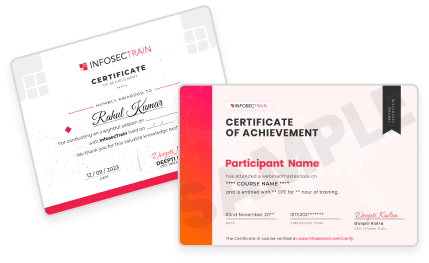
  Training Completion Certificate
  Learn from Industry Experts
  Career Guidance & Mentorship
  Post Training Support
  Access to Recorded Sessions
Training Schedule
- upcoming classes
- corporate training
- 1 on 1 training
Looking for a customized training?
REQUEST A BATCHWhy Choose Our Corporate Training Solution
- Upskill your team on the latest tech
- Highly customized solutions
- Free Training Needs Analysis
- Skill-specific training delivery
- Secure your organizations inside-out
Why Choose 1-on-1 Training
- Get personalized attention
- Customized content
- Learn at your dedicated hour
- Instant clarification of doubt
- Guaranteed to run

About Course
Microsoft Copilot is transforming the way professionals work by integrating AI-powered automation into Microsoft Office applications. This course focuses on leveraging AI for smarter document creation, data analysis, email management, and collaboration. Through hands-on exercises, participants will master automation techniques, predictive analytics, and AI-driven workflow enhancements, making them more efficient and productive in their daily tasks.
Course Curriculum
- Introduction to Microsoft Copilot
- What is Microsoft Copilot?
- How Copilot integrates with MS Office apps
- Benefits of using Copilot in daily tasks
- Understanding AI-powered automation in Office
- Copilot in Word
- Creating and formatting documents using Copilot
- Generating summaries and insights
- Drafting reports, letters, and proposals with AI
- Enhancing writing with grammar & tone suggestions
- Hands-on Exercise: Create a report using Copilot
- Copilot in Excel
- Analyzing data with AI insights
- Automating formula generation & data cleaning
- Creating charts and pivot tables with Copilot
- Predictive analysis & forecasting
- Hands-on Exercise: Generate a data-driven report with Copilot
- Copilot in PowerPoint
- Creating presentations from text input
- Enhancing slides with design suggestions
- Automating content summarization
- Hands-on Exercise: Generate a presentation using Copilot
- Copilot in Outlook
- Drafting emails & summaries
- Automating responses & scheduling
- Managing inbox with AI prioritization
- Hands-on Exercise: Compose & summarize emails using Copilot
- Copilot in Teams
- Summarizing meetings & conversations
- Automating notetaking & action items
- Enhancing collaboration & productivity
- Hands-on Exercise: Use Copilot to generate meeting notes
Target Audience
This course is ideal for professionals using Microsoft Office who want to enhance their productivity by leveraging AI-powered automation with Microsoft Copilot. It is designed for:
- Business Professionals & Executives looking to streamline workflows and improve efficiency
- Data Analysts & Finance Experts seeking AI-driven insights for better decision-making
- Content Creators & Writers aiming to automate document creation and editing
- Project Managers & Team Leaders optimizing collaboration and task management
- IT Professionals & Admins integrating AI tools into daily operations
Pre-requisites
Participant should have Desktop/Laptop with MS Office 365 installed with Integrated Copilot licencing) latest version and should be familiar with the basic functions of a computer operating system and good knowledge of MS Office applications
Course Objectives
Upon successful completion participants will be able to:
- Gain in-depth knowledge of Microsoft Copilot and its AI-driven capabilities
- Learn how to automate document creation, data analysis, and reporting
- Master AI-powered email drafting, meeting summaries, and workflow automation
- Enhance collaboration and team productivity with Copilot in Microsoft Teams
- Apply hands-on exercises to real-world business scenarios


Vision

Goal

Skill-Building

Mentoring

Direction

Support

Success

It was a very good experience with the team. The class was clear and understandable, and it benefited me in learning all the concepts and gaining valuable knowledge.

I loved the overall training! Trainer is very knowledgeable, had clear understanding of all the topics covered. Loved the way he pays attention to details.

I had a great experience with the team. The training advisor was very supportive, and the trainer explained the concepts clearly and effectively. The program was well-structured and has definitely enhanced my skills in AI. Thank you for a wonderful learning experience.

The class was really good. The instructor gave us confidence and delivered the content in an impactful and easy-to-understand manner.

The program helped me understand several areas I was unfamiliar with. The instructor was exceptionally skilled and confident in delivering content.
The program was well-structured and easy to follow. The instructor’s use of real-life AI examples made it easier to connect with and understand the concepts.

Frequently Asked Questions
What is Microsoft Copilot Training?
The Microsoft Copilot Training Course is a hands-on program designed to help professionals leverage AI-powered automation in Microsoft Office apps. It covers Copilot’s features in Word, Excel, PowerPoint, Outlook, and Teams to enhance productivity and efficiency.
Who should enroll in this Microsoft Copilot Training?
This course is ideal for professionals using Microsoft Office who want to enhance their productivity by leveraging AI-powered automation with Microsoft Copilot. It is designed for:
- Business Professionals & Executives looking to streamline workflows and improve efficiency
- Data Analysts & Finance Experts seeking AI-driven insights for better decision-making
- Content Creators & Writers aiming to automate document creation and editing
- Project Managers & Team Leaders optimizing collaboration and task management
- IT Professionals & Admins integrating AI tools into daily operations
What will I learn in the Microsoft Copilot Training?
Participants will learn how to integrate Microsoft Copilot into your daily tasks, automate workflows, generate insights, enhance writing, manage emails, and optimize collaboration. The course includes hands-on exercises for practical learning.
Do I need prior experience with AI to take this training?
No prior AI experience is required! The course is designed for beginners and experienced users alike, providing step-by-step guidance on how to effectively use Microsoft Copilot.
How long does the Microsoft Copilot Training take to complete?
The course consists of 8 hours of live instructor-led training, including practical exercises and interactive learning sessions.
Will I receive a certification after completing the Microsoft Copilot Training?
Yes, upon successful completion of the course, participants will receive a Training Completion Certificate from InfosecTrain, validating your expertise in Microsoft Copilot.
How can Microsoft Copilot benefit my career?
Mastering Microsoft Copilot can significantly boost productivity, enhance decision-making, and improve collaboration. These AI-driven skills are in high demand, making it a valuable asset in any workplace.
How do I enroll in the Microsoft Copilot Training?
To enroll in Microsoft Copilot Training at InfosecTrain:
- Visit the InfosecTrain website, www.infosectrain.com and navigate the Internet of Things (IoT) Security Associate Training.
- Fill out the registration form.
- You will receive a confirmation email with further instructions.
- Book your free demo with our Expert.
- Or you can directly drop a mail with your requirements at sales@infosectrain.com
