Master Azure Cloud Security
Azure Administrator & Security
(AZ-104 + AZ-500)
$130,000 Avg Salary of Cloud Administrators


Training Course Highlights

40-Hour Instructor-led Online Training

Free eLearning for AZ-900

Access to Recorded Sessions

Official Microsoft Curriculum

Certified Trainers

24x7 Post-Training Support

Scenario-based Learning

Earn CPEs

* Conditions Apply
Azure Administrator + Security Training - An Overview
The Azure Administrator & Security training course from InfosecTrain is designed to equip aspiring Azure Administrators and Security experts with an integrated skill set for effectively managing and securing Azure environments. This comprehensive course covers AZ-104 and AZ-500 via a broad spectrum of topics, including Azure governance, compliance, subscription management, resource grouping, virtual networking, and Azure Virtual Machines. It delves into hands-on practices for implementing Azure policies, managing identities with Azure Active Directory, and applying Role-Based Access Control (RBAC) for enhanced security.
Course Curriculum
AZ-104T00 Microsoft Azure Administrator
Module 01 – Administer Governance and Compliance
- Introduction
- Identify regions
- Implement Azure subscriptions
- Obtain a subscription
- Create resource groups
- Determine resource limits
- Create an Azure resource hierarchy
- Apply resource tagging
- Manage costs
Module 02 – Configure Azure Policy
- Introduction
- Implement Azure policy
- Create Azure policies
- Create policy definitions
- Create initiative definitions
- Scope the initiative definition
- Determine compliance
Module 03 – Configure Role-Based Access Control
- Introduction
- Compare Azure RBAC roles to Azure AD roles
- Create a role definition
- Create a role assignment
- Apply RBAC authentication
- Determine Azure RBAC roles
Module 04 – Configure Azure Resources with Tools
- Introduction
- Use the Azure portal
- Demonstration: Azure portal
- Use Azure Cloud Shell
- Demonstration: Cloud Shell
- Use Azure PowerShell
- Deploy template
Module 05 – Administer Virtual Networking
- Introduction
- Plan virtual networks
- Create subnets
- Create virtual network
- Plan IP addressing
- Create public IP addresses
- Associate public IP addresses
- Associate private IP addresses
Module 06 – Configure Azure DNS
- Introduction
- Identify domains and custom domains
- Verify custom domain names (optional)
- Create Azure DNS zones
- Delegate DNS domain
- Add DNS record sets
- Plan for private DNS zones
- Determine private zones scenarios
Module 07 – Administer Azure Virtual Machines
- Configure Virtual Machines
- Introduction
- Review cloud services-responsibilities
- Plan virtual machines
- Determine virtual machine sizing
- Determine virtual machine storage
- Demonstration – Create virtual machines
- Connect to virtual machines
Module 08 – Virtual Machine Availability
- Introduction
- Plan for maintenance and downtime
- Set up availability sets
- Review update and fault domains
- Review availability zones
- Compare vertical and horizontal scaling
- Create scale sets
- Configure auto scale
Module 09 – Administer PaaS Compute Options
- Configure App Service Plans
- Introduction
- Implement Azure app service plans
- Determine app service plan pricing
- Scale up and scale out the app service
- Configure app service plan scaling
Module 10 – Administer Data Protection
- Configure File and Folder Backups
- Introduction
- Describe Azure backup benefits
- Implement Azure backup center
- Set up recovery service vault backup options
- Demonstration – Backup Azure file shares
- Configure on-premises file and folder backups
- Manage the Azure recovery services agent
AZ-500T00A: Microsoft Azure Security Technologies
Learning Path 1: Manage Identity and Access
- Module 1 – Secure Azure Solution with Azure Active Directory
- Configure Azure AD and Azure AD domain services for security
- Create users and groups that enable secure usage of your tenant
- Use MFA to protect user’s identities
- Configure passwordless security options
- Module 2 – Implement Hybrid Identity
- Deploy Azure AD Connect
- Pick and configure the best authentication option for your security needs
- Configure password writeback
- Module 3 – Deploy Azure AD Identity Protection
- Deploy and configure identity protection
- Configure MFA for users, groups, and applications
- Create conditional access policies to ensure your security
- Create and follow an access review process
- Module 4 – Configure Azure AD Privileged Identity Management
- Describe zero trust and how it impacts security
- Configure and deploy roles using privileged identity management (PIM)
- Evaluate the usefulness of each PIM setting as it relates to your security goals
- Module 5 – Design an Enterprise Governance Strategy
- Explain the shared responsibility model and how it impacts your security configuration
- Create Azure policies to protect your solutions
- Configure and deploy access to services using RBAC
Learning Path 2: Implement Platform Protection
- Module 1 – Implement Perimeter Security
- Define defense in depth
- Protect your environment from denial-of-service attacks
- Secure your solutions using firewalls and VPNs
- Explore your end-to-end perimeter security configuration based on your security posture
- Module 2 – Configure Network Security
- Deploy and configure network security groups to protect your Azure solutions
- Configure and lockdown service endpoints and private links
- Secure your applications with application gateway, web app firewall, and front door
- Configure ExpressRoute to help protect your network traffic
- Module 3 – Configure and Manage Host Security
- Configure and deploy endpoint protection
- Deploy a privileged access strategy for devices and privileged workstations
- Secure your virtual machines and access to them
- Deploy Windows Defender
- Practice layered security by reviewing and implementing security center and security benchmarks
- Module 4 – Enable Containers Security
- Define the available security tools for containers in Azure
- Configure security settings for containers and Kubernetes services
- Lock down network, storage, and identity resources connected to your containers
- Deploy RBAC to control access to containers
Learning Path 3: Secure Your Data and Applications
- Module 1 – Deploy and Secure Azure Key Vault
- Define what a key vault is and how it protects certificates and secrets
- Deploy and configure Azure Key Vault
- Secure access and administration of your key vault
- Store keys and secrets in your key vault
- Explore key security considerations like key rotation and backup/recovery
- Module 2 – Configure Application Security Features
- Register an application in Azure using app registration
- Select and configure which Azure AD users can access each application
- Configure and deploy web app certificates
- Module 3 – Implement Storage Security
- Define data sovereignty and how that is achieved in Azure
- Configure Azure Storage access in a secure and managed way
- Encrypt your data while it is at rest and in transit
- Apply rules for data retention
- Module 4 – Configure and Manage SQL Database Security
- Configure which users and applications have access to your SQL databases
- Block access to your servers using firewalls
- Discover, classify, and audit the use of your data
- Encrypt and protect your data while it is stored in the database
Learning Path 4: Manage Security Operations
- Module 1 – Configure and Manage Azure Monitor
- Configure and monitor Azure Monitor
- Define metrics and logs you want to track for your Azure applications
- Connect data sources to and configure Log Analytics
- Create and monitor alerts associated with your solutions security
- Module 2 – Enable and Manage Microsoft Defender for Cloud
- Define the most common types of cyber-attacks
- Configure Azure Security Center based on your security posture
- Review Secure Score and raise it
- Lock down your solutions using Security Center and Defender
- Enable Just-in-Time access and other security features
- Module 3 – Configure and Monitor Microsoft Sentinel
- Explain what Azure Sentinel is and how it is used
- Deploy Azure Sentinel
- Connect data to Azure Sentinel, like Azure Logs, Azure AD, and others
- Track incidents using workbooks, playbooks, and hunting techniques
Course Objectives
By the end of this training program, participants will be able to:
- Efficiently manage Azure subscriptions, resource groups, virtual networks, and compute services using best practices
- Securely delegate access to Azure resources using granular RBAC permissions and policy-based governance
- Configure, monitor, and optimize Azure Virtual Machines, including high availability and scaling strategies
- Apply identity protection, multifactor authentication (MFA), and Conditional Access policies using Azure Active Directory
- Design and implement firewall, VPN, and network security group (NSG) strategies to defend against external threats
- Secure virtual machines and containers using tools like Microsoft Defender, endpoint protection, and privileged access strategies
- Use Azure Key Vault, encryption mechanisms, and secure application deployment methods to protect sensitive data and secrets
- Leverage Azure Monitor, Microsoft Defender for Cloud, and Microsoft Sentinel to detect, analyze, and mitigate security incidents
- Apply DevSecOps practices, harden CI/CD pipelines, and secure containerized environments across development stages
Target Audience
This training is ideal for:
- Azure Administrators
- Azure Cloud Engineers
- Systems Administrators intending to advance their Azure Skills
- IT Professionals looking forward to becoming Azure Security Engineers
- IT Professionals preparing for Microsoft AZ-500 exam
Pre-requisites
- Basic understanding of networking
- Basic understanding of Windows/Linus OS
- Exposure to working with PowerShell Client on Windows or MacOS
- Suggested to have knowledge of Microsoft Azure administrator associate
- Understanding of basic IT security principles
Azure Administrator + Security Combo Training Calendar

Can't Find a Suitable Schedule? Talk to Our Training Advisor!
Choose Your Preferred Learning Mode
 1-TO-1 TRAINING
- Customized Schedule
- Learn at Your Dedicated Hour
- Instant Clarification of Doubts
- Guaranteed to Run
 ONLINE TRAINING
- Flexible, Convenient & Time Saving
- Highly Interactive
- Affordable Yet Effective
- Guaranteed to Run
 CORPORATE TRAINING
- Anytime, Anywhere - Across The Globe
- Hire a Trainer
- Your Schedule, Your Pace
- Customized for Your Team

Our Expert Course Advisor

Why Choose InfosecTrain?

Learn from certified trainers and industry experts

Practice with labs, regular assessments, and case studies

Immerse in scenario-based learning

Best Quality Training with Best Price Guarantee

Conquer the skills required to ace Azure Cloud Security

Prepare to excel with mock tests, exam tips, and real-world examples

Updated curriculum aligned with the latest updates

Choose Flexible Learning options including weekend batches
Benefits of Azure Administrator + Security Combo Training

Get global recognition

Maximize your earning potential

Earn the status of a Cloud Security expert

Advanced career growth

Become a part of an esteemed community
Average Salary Range for Cloud Security Profiles

Confused if this is the right course for you?
Words Have Power
I completed my AZ-500 course with InfosecTrain, and it was a great course. I am extremely happy with the content. Thank you so much to the trainer for providing with such insightful knowledge.

Mohammed Abdul Asad
UAEThank You for teaching us AZ-500 and answering any questions we had asked. I have learned the concept with full satisfaction. InfosecTrain is a good platform to learn. Thank You once again for great knowledge of the course.

Anusha Kulkarni
IndiaThank you Team InfosecTrain and the instructor for amazing sessions, I thought all of the sessions were equally useful, don’t change anything! The labs helped to build confidence and the trainer was always there for me. I felt my confidence rise through out the course. In the beginning of the course I was on 10% now I can proudly say I am more confident on AZ-104. Thank you so much for the wonderful session.

Prince Kumar
IndiaI just wanted to take a moment to thank you for the great AZ-500 training sessions you have provided. Your expertise and knowledge of the subject matter have been invaluable in helping me to understand and apply what I have learned. Your enthusiasm and positive attitude have also made the experience enjoyable and engaging.

Ajay Sunder
IndiaSuccess Speaks Volumes

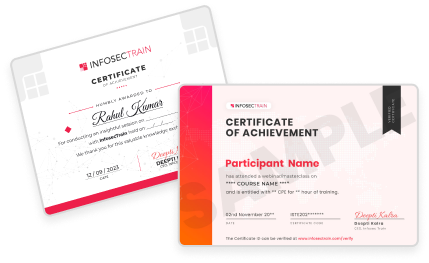
Get a Sample Certificate
Frequently Asked Questions
What is the Azure Administrator & Security (AZ-104 + AZ-500) Combo Training?
The Azure Administrator & Security (AZ-104 + AZ-500) Combo Training is a comprehensive 40-hour instructor-led live program that provides in-depth knowledge and hands-on experience in managing and securing Microsoft Azure environments. This course covers both the Azure Administrator (AZ-104) and Azure Security (AZ-500) certifications, combining the skills necessary for managing infrastructure and implementing security strategies on Azure.
What certifications can I earn through Azure Administrator & Security (AZ-104 + AZ-500) Training program?
Participants can earn two certifications: AZ-104 (Microsoft Certified: Azure Administrator Associate) and AZ-500 (Microsoft Certified: Azure Security Engineer Associate).
What are the key highlights or benefits of Azure Administrator & Security (AZ-104 + AZ-500) Combo training?
Key highlights include:
- 40 hours of live instructor-led training
- Custom and Microsoft hands-on labs
- Dual certification preparation (AZ-104 + AZ-500)
- Real-world scenarios and labs
- Official Microsoft curriculum
- Free self-paced LMS for Azure 900
- Post-training support, career guidance, and mentorship
Who is the target audience for Azure Administrator & Security (AZ-104 + AZ-500) Combo Training?
This training is ideal for:
- Azure Administrators
- Azure Cloud Engineers
- Systems Administrators intending to advance their Azure Skills
- IT Professionals looking forward to becoming Azure Security Engineers
- IT Professionals preparing for Microsoft AZ-500 exam
What are the prerequisites for Azure Administrator & Security (AZ-104 + AZ-500) Training course?
- Basic understanding of networking
- Basic understanding of Windows/Linus OS
- Exposure to working with PowerShell Client on Windows or MacOS
- Suggested to have knowledge of Microsoft Azure administrator associate
- Understanding of basic IT security principles
What topics are covered in Azure Administrator & Security (AZ-104 + AZ-500) Training curriculum?
The training covers a range of topics from the official curriculum of AZ-104 and AZ-500, including:
- Administering governance and compliance
- Configuring Azure policy and role-based access control (RBAC)
- Administering virtual networks, DNS, and virtual machines
- Securing identity, access, and hybrid identity
- Configuring network, host, and container security
- Implementing storage and database security
- Monitoring security operations using Azure Monitor and Microsoft Sentinel
Is hands-on experience included in the training?
Yes, the training includes hands-on labs using both custom-built environments and official Microsoft labs. This hands-on experience ensures participants can apply the concepts learned in real-world scenarios.
Are there other training options available besides upcoming classes?
Yes, InfosecTrain may offer other training programs and certifications in related areas. For further information, you can reach out for a personalized quote at sales@infosectrain.com or browse the related courses section.